Best carpool app for parents: apps and shared sign-ups
By Babs Team · · 13 min read

A carpool app has to work for the parent who sets it up and the adults who only open it to find out whether Thursday is theirs. Otherwise, congratulations: the group text has acquired a companion app. For families already sharing school or activity drives with people they know, the useful differences are quite specific: claiming driving slots, changing recurring rides and getting the plan to everyone. A shared spreadsheet belongs in that decision too.
Start with the calendar and group message you already use
A dedicated organizer adds little when the same adults drive the same days, changes are occasional, and everyone can find the agreed plan. A recurring calendar event can hold the driver and pickup details; the existing group message can handle a swap. There is no prize for moving a working two-family arrangement into another app.
The reason to move is usually a particular gap. Adults need to volunteer for open driving slots. Children join some rides and skip others. Changes need to reach several households without one person reconstructing the agreement from messages.
A reminder and a change alert also do different jobs. Google's built-in Family calendar gives members their usual upcoming-event reminders, but it does not notify them when another family member creates, edits or deletes an event. Other shared Google calendars have their own notification settings.
For a carpool that rarely changes, a direct message to the affected driver may be enough. Our family calendar guide covers those handoffs without adding a second scheduling tool.
Compare carpool apps and shared sign-ups
The dedicated carpool apps here organize driving arrangements between families. They do not supply a driver, and a place on an app's schedule is not a guaranteed pickup. Sheets, Forms and SignUpGenius handle sign-ups more generally.
| What matters to your carpool | The useful difference |
|---|---|
| Parents want to edit one familiar roster | A free Google Sheet lets parents enter names beside drives and see the gaps. The group maintains the assignments and communicates swaps. |
| One organizer is collecting everyone's availability | Google Forms collects choices without giving parents roster-edit access. A basic Form allows duplicate slot choices, so the organizer confirms assignments. |
| Only one parent should be able to claim each driver slot | SignUpGenius supports per-slot participant limits on a general sign-up, without requiring participant accounts. |
| Adults want to choose their own driving days | GoKid has volunteer sign-ups and missing-driver alerts. Carpoolio also supports parents claiming driving slots. |
| The group wants a generated driving rotation | CarpoolConnect distributes turns between families. Carpoolio's paid schedule generator accepts driver constraints. |
| Someone will use a browser rather than install an app | GoKid, Carpoolio and CarpoolConnect offer web access. Carpool Kids lists iOS and Android apps. |
| Driving needs to appear beside other commitments | Carpool Kids offers Pro sync; Carpoolio includes sync in Full Send. CarpoolConnect includes member calendar subscriptions, with refresh delays. GoKid's current sync availability is unclear. |
Google Sheets and Forms for carpool sign-ups
A Google spreadsheet or sign-up form is a reasonable starting point for parents who already know one another. Both are available with a free personal Google account. The important difference is whether parents are editing the driving plan directly or submitting choices for an organizer to turn into a plan.
Google Sheets: a shared roster everyone can edit
A shared Sheet lets parents put their names beside the drives they can cover and see the remaining gaps. Separate rows for the outward and return trips make it possible for one family to drive there and another to collect. Columns for date, pickup time, driver, riders and available seats can hold the details without a new app for everyone.
That flexibility is the benefit. A group can change the layout, add an occasional drive or keep the whole term visible. In an ordinary unprotected sheet, editors can also change other families' commitments. Protected ranges can limit particular cells to named editors, though someone has to set up and maintain those permissions. A name in a cell still relies on the group's agreement about who is covering that drive.
Access is a trade-off. In Share, keeping General access set to Restricted and adding specific parents as Editors limits access to invited people. Choosing Anyone with the link and Editor instead lets link-holders open without Google sign-in, but anyone who receives that link can open and change the unprotected roster. A broadly shared sheet is a poor home for children's addresses and other private details.
Sheets has edit notifications, though each parent sets them up individually. On a computer, Tools → Notification settings → Edit notifications offers immediate emails or a daily digest. Changing a pickup time in a cell does not, by itself, set up an alert for every driver. Same-day swaps still need a direct message.
Google Forms: collect choices without opening the roster to edits
A Form gives parents a simpler submission screen and lets the organizer keep the response spreadsheet out of general edit access. In the Form's Responses tab, Link to Sheets puts submissions in a spreadsheet. That works for collecting availability at the start of a term or asking who can cover particular drives.
The catch is slot capacity. A basic checkbox or dropdown question does not remove Tuesday's drive after someone chooses it. Two parents can select the same drive, while another remains uncovered. Limit to 1 response means one submission per signed-in Google account; it does not mean one driver per slot. The organizer still has to reconcile choices and share the agreed roster.
Forms can allow response editing and send the organizer emails for new responses. A response receipt gives a parent their submitted answers. Neither is a group alert that the confirmed driver or pickup time has changed.
A Form therefore suits an organizer collecting offers before making assignments. A shared Sheet suits a group comfortable maintaining the roster together. Neither automatically balances driving turns or turns a schedule change into a message to the right adult.
For a first-come sign-up with a fixed number of places, SignUpGenius is another option. Its free plan supports sign-ups, participants can join through a link without an account, and the organizer can set a maximum number of participants per slot. A one-driver slot closes the gap that a basic Google Form leaves. It is a general sign-up tool, so the organizer still defines the rides and rider details rather than getting a dedicated carpool schedule.
GoKid: volunteer sign-ups and ride changes
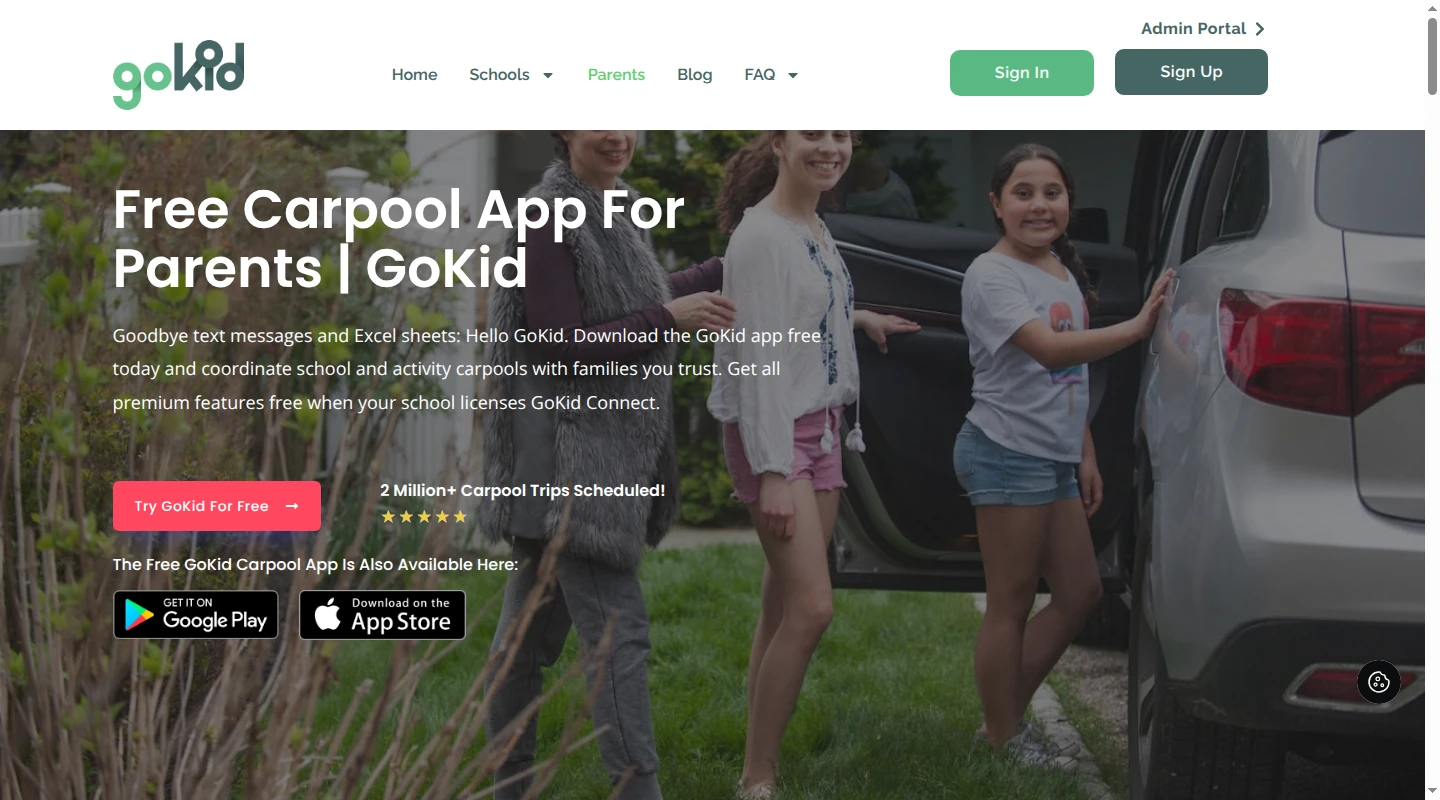
GoKid lets a parent create a carpool, invite other families and leave driving slots for participating families to claim. It does not automatically distribute the driving. Each family signs up for its own days, and a parent can assign another adult within their family. That is useful when the group wants adults to choose days around work and other children's activities. It is a poor match for someone expecting an automatically balanced rotation.
After adding family members, the organizer creates a carpool with its times and locations, then invites other parents by email or text. Invitees register or log in and accept or decline. In the schedule, Select Driver is where an adult volunteers for a trip.
Repeating rides have a consequential setup detail: GoKid supports a repeat pattern and end date, but a carpool created as non-repeating cannot later have repeat days added. That requires a new carpool. A regular school run therefore belongs in the repeating setup even when the first week's drivers are the only ones settled.
For later exceptions, GoKid supports changes to a single trip or the recurring series, including a child's pickup or drop-off location. It also notifies the group when a driver is needed. Those are more directly relevant to a changing carpool than a general reminder that school starts tomorrow.
GoKid is available on iOS, Android and the web, with U.S. and Canadian availability stated in its app listings. Core parent carpool features are free. GoKid Pro costs $4.99 a month or $49.99 a year on iOS in the U.S. and covers the family. Paid extras include carpool history, notes and additional notification controls. The school-purchased GoKid Connect service is separate from this parent account.
GoKid's account instructions are inconsistent. Its current standalone-app FAQ describes each family member using their email and password, while another answer on its parent page describes a shared family password. A shared-password requirement is therefore not a settled distinction between these apps.
GoKid advertised Google Calendar and iCal sync in a 2017 Pro announcement. Its current parent and store descriptions do not establish whether that feature remains available, so calendar sync is an unresolved point rather than a confirmed GoKid advantage.
Carpool Kids: recurring schedules with paid calendar sync
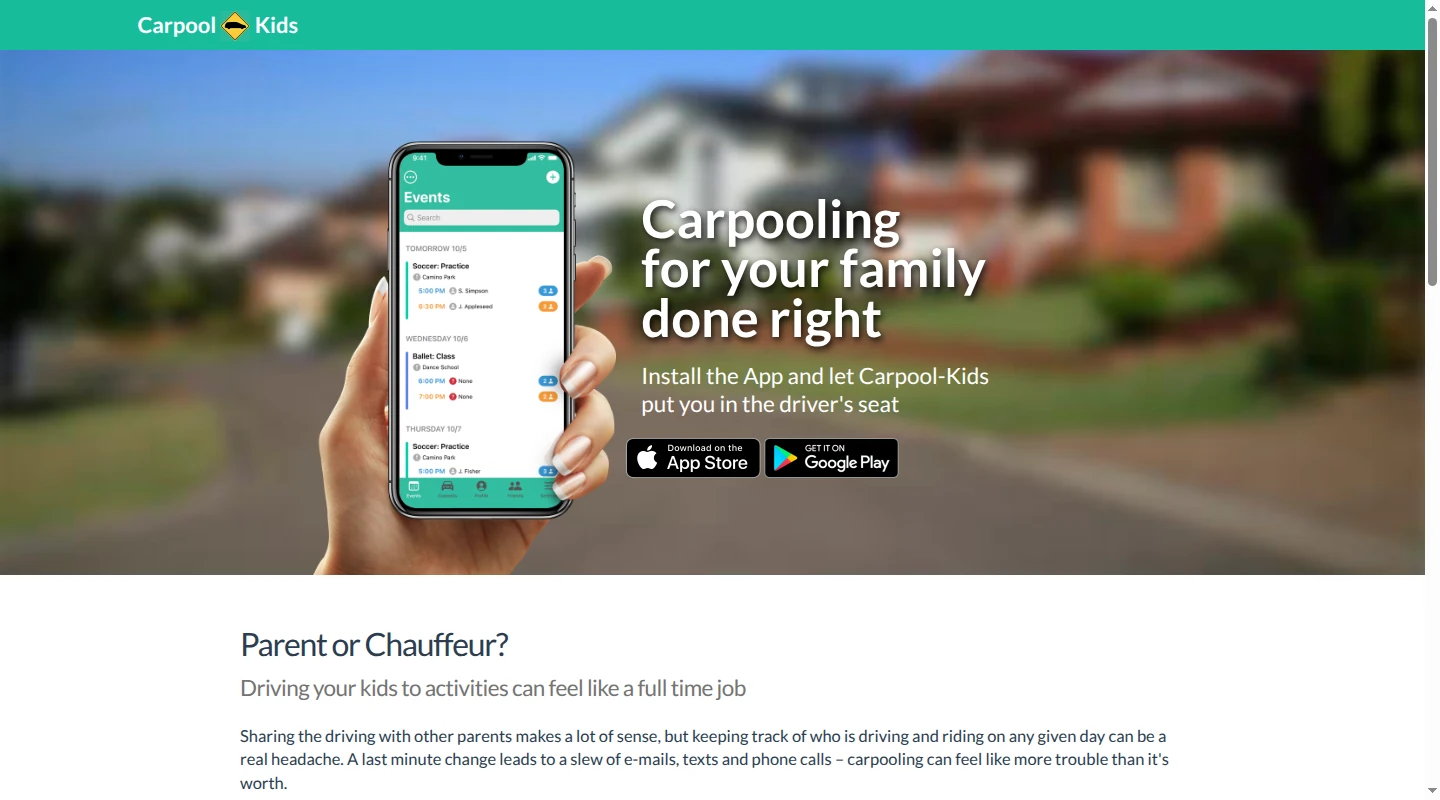
Carpool Kids organizes one-time or repeating carpool events and displays who is driving and riding, along with pickup and drop-off locations. It sends updates through push notifications and/or email. Its Pro calendar sync is relevant for adults who want driving commitments visible beside work and family events.
The app is available for iOS and Android. The Apple version supports iPhone and iPad and requires iOS or iPadOS 18.4 or later. Its U.S. store listings confirm availability there; they do not establish its full worldwide coverage.
Carpool Kids is free to download with in-app purchases. U.S. Apple prices are:
- Pro Individual: $2.99 a month or $14.99 a year.
- Pro Family: $4.99 a month or $24.99 a year.
Paid features include calendar sync and driver/rider statistics. The statistics can help a group see how much driving and riding has happened. They do not establish that the app assigns a fair rotation automatically.
There is less public detail about the handoffs during a swap. Parents can invite family and friends and see the driving plan, but current descriptions do not explain who can assign or edit a driver, how a single occurrence differs from a series edit, or exactly which change alerts which person. A general promise of event updates does not establish an alert for an uncovered driving slot.
Carpoolio: sign-up sheets with a paid schedule generator
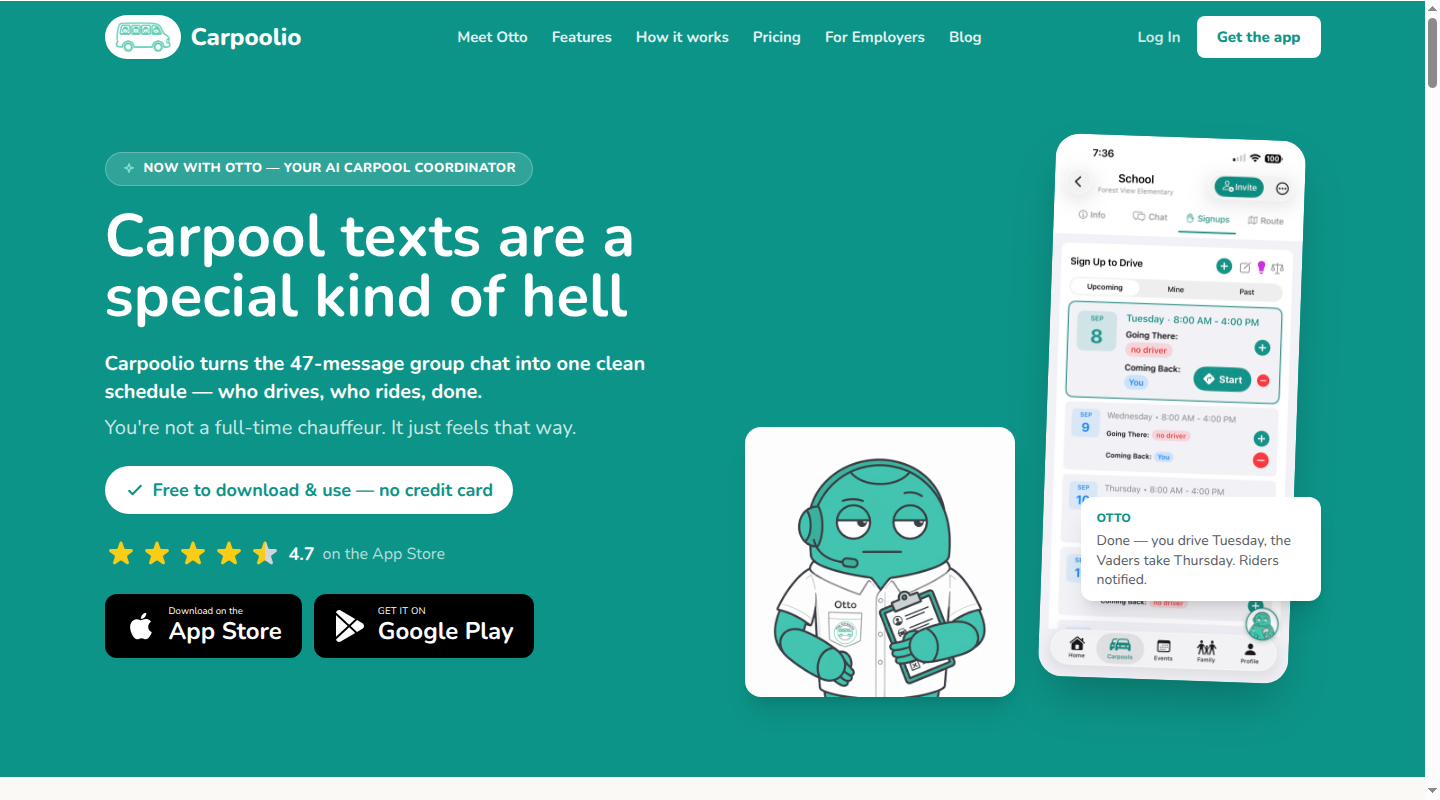
Carpoolio supports recurring and one-off carpools, with sign-up sheets where parents claim the drives they can cover. It runs on iOS, Android and the web. The free plan lets a parent create one carpool, join unlimited invited carpools and add unlimited children, with basic notifications.
The paid Full Send plan adds an AI schedule generator that works around driver constraints. That is a different proposition from leaving every slot open for volunteers: a group can provide availability and get a proposed driving schedule. It is relevant when finding a workable rotation is the task consuming the organizer's time.
Full Send also includes unlimited carpool creation, child app accounts, live trip tracking, Apple and Google Calendar sync, and TeamSnap and GameChanger integrations. Its listed annual price is $34.99; the U.S. Apple listing calls the purchase Carpoolio Pro and also lists $6.99 monthly.
Carpoolio supports Apple Family Sharing for its Pro subscription. Guardian access is a separate limit: its pages variously say four guardians per carpool, per family or per child. Those descriptions do not establish one consistent counting rule for a larger group.
The free plan suits one carpool that parents are happy to fill themselves. A family creating separate school and activity carpools, or a group that wants the schedule generated around availability, has a concrete reason to consider the paid plan.
CarpoolConnect: a browser-based rotation with one organizer payment
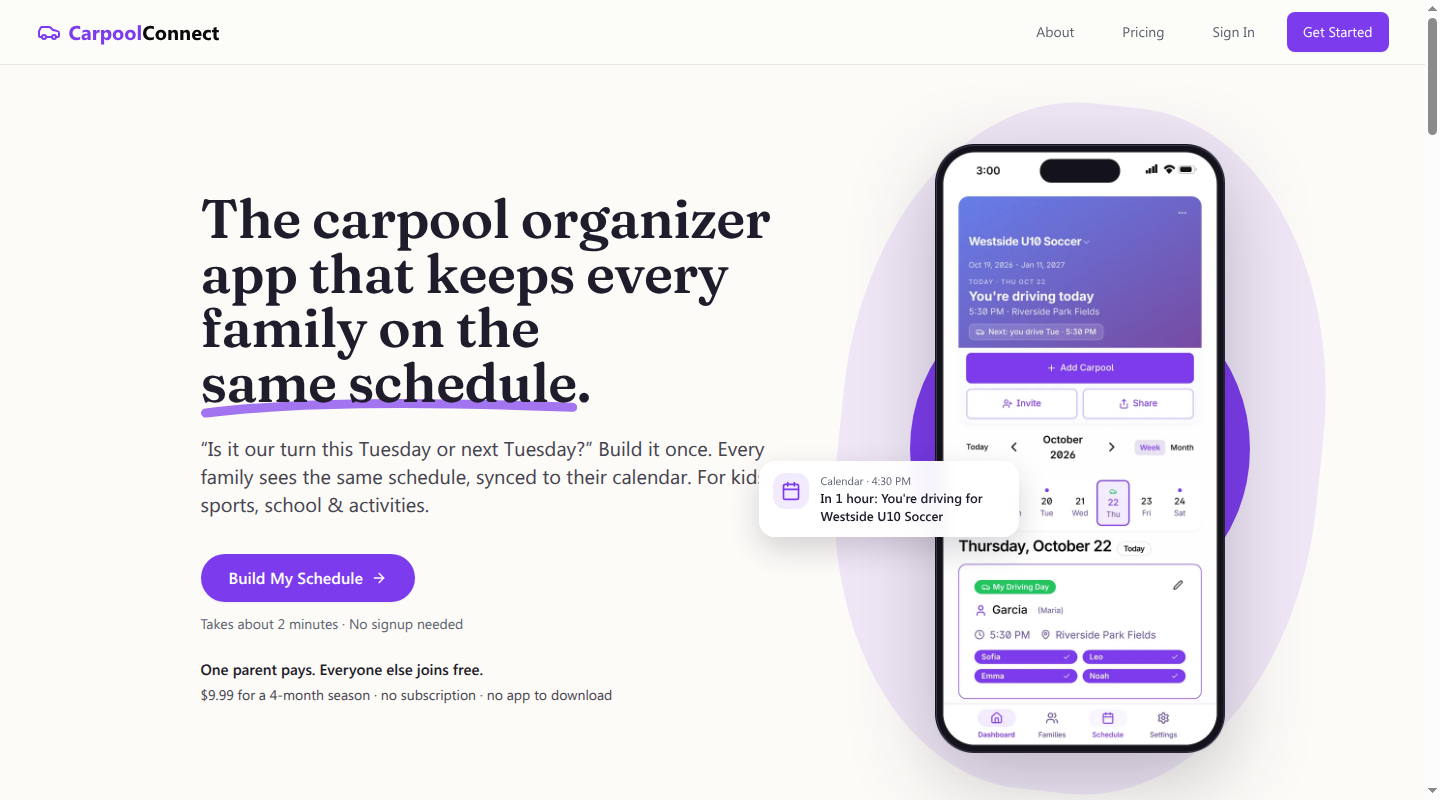
CarpoolConnect works in a browser, so the group can join without installing an app. The organizer adds families and recurring days, and the service distributes driving turns between families. Drop-off and pickup can have different drivers, and individual children's attendance can change for a particular date.
Families join through an invitation link and email-code sign-in. Members can edit an event's driver, time or location. That makes swaps possible without routing every edit through the organizer, though it also means the group is sharing control of the plan.
Organizer passes cost $9.99 for four months or $19.99 for 12 months, with no automatic renewal. Joining families pay nothing, and one pass covers all the organizer's carpools.
The Terms of Service keep existing-ride edits free, including driver, time, location and attendance, and charge for organizer controls such as recurring-template changes and invitations. The pricing FAQ instead says a renewed pass is needed to edit after expiry. Viewing and calendar sync remain available, but the published descriptions do not settle which editing rights expire.
Calendar subscriptions work with Apple, Google and Outlook, and each member can choose the full schedule or just their driving days. A change appears in CarpoolConnect immediately; an external calendar receives it on its next refresh. Google Calendar refreshes can take up to a day, so this is a poor substitute for a direct message about a same-afternoon driver swap.
Adult access and data controls deserve their own comparison
Child profiles and child accounts are different. GoKid limits creating and editing carpools and volunteering to adults; a child can view the schedule through an email-based login. Carpoolio includes child app accounts in Full Send. Carpool Kids' version history mentions a Kid Mode sign-in, but its current public descriptions do not give a comparably clear explanation of children's viewing and editing permissions. An app-store age rating does not settle those permissions either.
The privacy disclosures also leave limits on a clean comparison. GoKid's Apple privacy label says no data is collected, while its website privacy policy describes processing personal and family information. The website policy carries a future date of November 25, 2026. Those statements do not support a confident claim that GoKid collects no family data.
Carpool Kids' Apple privacy disclosure lists name and email linked to the user for app functionality. Its linked privacy policy describes account and rider-profile information and account deletion in the iOS and Android apps, but carries a March 1, 2014 effective date. GoKid also documents an account-deletion route through the profile or email.
Carpoolio's Apple privacy disclosure lists location and contact information linked to the user, alongside separate advertising-related data categories. CarpoolConnect's privacy policy describes collecting email addresses, family names, schedules and practice locations, with account deletion available in Settings or through support. Browser access does not mean a service holds no family information.
These are published controls and disclosures, not evidence that one service is more private or safer. Driver suitability and the family's transport arrangements are separate decisions from which app displays the schedule.
Babs helps with the school and activity details around the ride
A carpool organizer can show who is driving to practice. The coach's email may still contain the moved practice time and the form due Friday. Those details affect the whole household, including the parent taking another child somewhere else.
Babs is a family operating system that reads school and activity emails in connected Gmail and surfaces relevant events, changes and to-dos. A parent reviews each suggested event before adding it to Google Calendar in one tap, and can accept to-dos in Babs. Both parents can see shared events and to-dos, with the Lineup keeping the week visible beyond the parent who read the email.
Babs complements the family's calendar. It does not arrange rides or assign carpool drivers. It is free, in private beta and available on iOS.
The driving rotation belongs in whichever arrangement your carpool actually uses. The changed practice time should be available to the household too. To give those school and activity emails a useful home beyond one person's inbox, join the Babs waitlist.
Related articles

Family organization · Babs
A family meal planning app everyone can use
Compare AnyList, Plan to Eat and Cozi for shared meal plans, recipe imports, grocery handoffs, devices, household pricing and provider-described data practices.

Family organization · Babs
The best AI for travel planning depends on your family’s trip
Compare Mindtrip, Layla and Wanderlog for family trips, including shared editing, children’s needs, pricing and what happens when a reservation changes.