Cozi vs FamilyWall: which one fits your family?
By Babs Team · · 14 min read

A Friday school newsletter has a parent night buried in paragraph six and a field-trip form due Monday. Cozi and FamilyWall can both give those details a shared home, once someone has found and entered them. The better choice comes down to what your family wants to share: a focused calendar with lists and meals, or a broader hub with messaging, location, and household records.
Cozi vs FamilyWall: the short answer
Choose Cozi if you mainly want a color-coded family calendar, shopping and to-do lists, recipes, and meal planning. Its smaller set of tools suits a household that wants one place to see the week and remember the groceries.
Choose FamilyWall if several family members need separate accounts or you want more of family life in one app. It adds short messages, a separate Family Gallery, contacts, and multiple private Circles for free, with location sharing, documents, budgets, timetables, and meal planning on Premium.
Cozi Gold costs $39 per family each year, while FamilyWall Premium costs $44.99. Those tiers are only $5.99 apart, though they unlock quite different things. If email import matters, compare Cozi Max at $79.99 per year with FamilyWall Premium, because Gold does not include Cozi's Event Import.
| Question | Cozi | FamilyWall |
|---|---|---|
| Best fit | A focused calendar with lists, recipes, and meals | A wider family hub with communication and household records |
| Family access | One family account, a shared password, and up to 12 named members | Separate member logins, child accounts, and multiple private Circles |
| Free tools | Calendar, shopping and to-do lists, recipes, and meal planning | Calendar, shopping and to-do lists, recipes, short messages, Family Gallery, and contacts |
| Paid plans | Gold $39/year; Max $79.99/year through the U.S. iPhone app | Premium $44.99/year with a 30-day trial |
| Email import | Max accepts a forwarded email, PDF, or photo | Premium Magic Import accepts a forwarded email and PDF or image attachments |
| Devices | iPhone, Android, and web | iPhone, Android, and web |
Start with the part that keeps falling back on you
Both apps are useful after family information has reached the organizer. Cozi gives the household a calendar and practical lists. FamilyWall adds more ways for people to talk, share, and store household information. In either case, someone still needs to notice the parent night, recognize the form deadline, and get each detail into the right place.
That distinction matters because a beautiful shared calendar can still be missing half the week. If your recurring problem is choosing where the schedule, groceries, or documents should live, Cozi and FamilyWall address it directly. If the details are getting buried before they reach any organizer, there is a third route.
Babs: when the schedule is still buried in Gmail
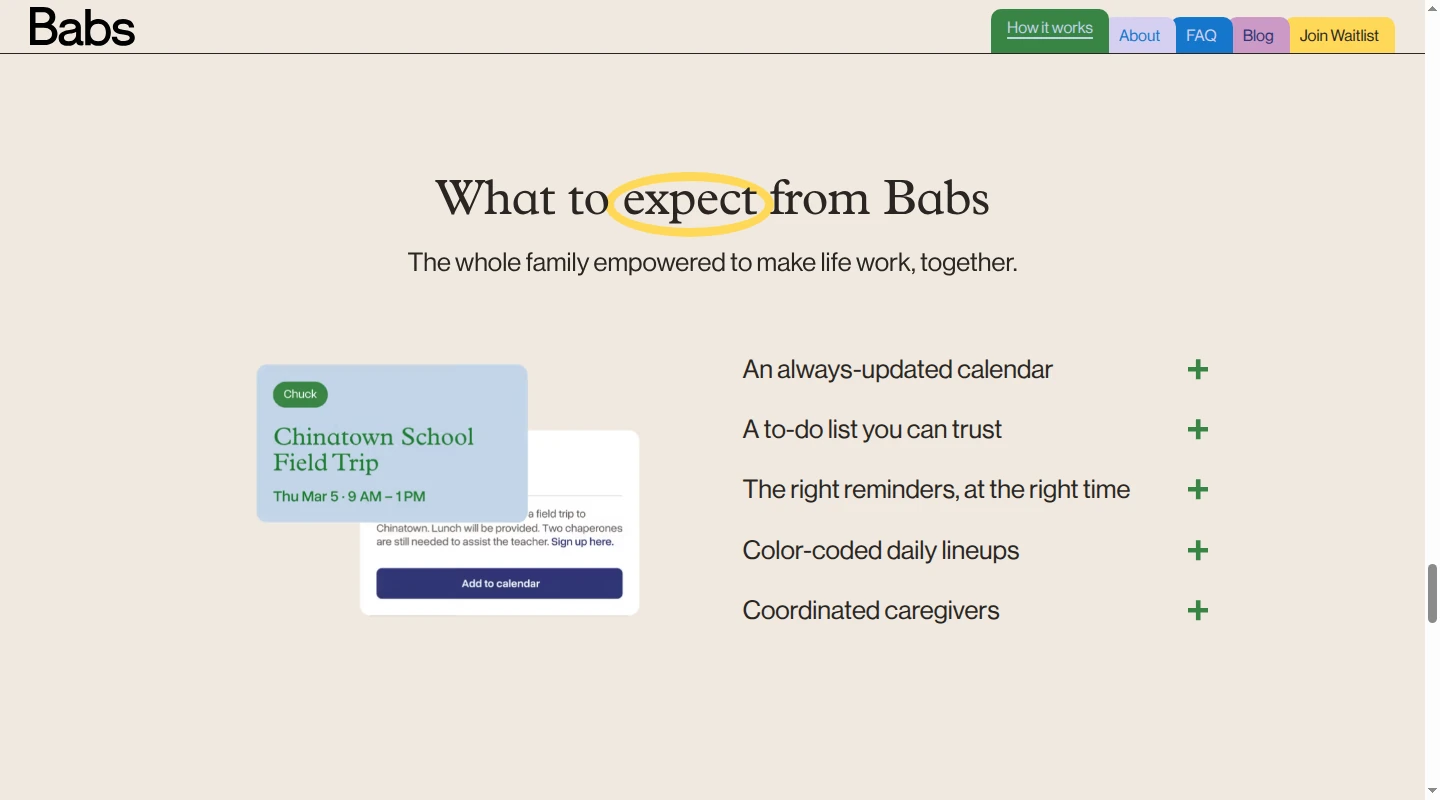
The Friday newsletter is the part Babs handles differently. Babs is the proactive family operating system for modern households. Google Calendar or Apple Calendar remains where the family's schedule lives. Babs starts earlier, when Thursday's parent night and Monday's form deadline are still inside Gmail, and finds events and to-dos the calendar is missing so parents spend less time adding them by hand.
Babs lets a parent connect their Gmail inbox or a shared family Gmail account, then Babs proactively scans emails for relevant events and to-dos related to children's schools and activities. Parents confirm household context about their children, schools, and activities. That context helps Babs learn what matters to the household and surface possible events and to-dos for review.
Babs is built for the household. Each parent has a separate login and can see suggestions, to-dos, and the family's Lineup. The Lineup previews the week ahead and helps the household know who needs to be where and when. Parents review what Babs finds and decide what to add. Babs does not add an event to Google Calendar or Apple Calendar without parent approval.
Babs also checks suggested events against the current calendar to reduce suggestions for events that are already there. If a later email says practice has moved from 5 p.m. to 6 p.m., or that a tutor has canceled, Babs flags the change. A parent reviews the new details before the calendar is updated.
Babs is currently waitlist-based and available only on iOS. Gmail is the only supported inbox source. Children and other caregivers do not have their own Babs accounts today. A family that needs Android or web access, another email provider, or separate access for more household members should choose another app for now.
Babs does not include grocery lists, recipes, meal planning, family location, budget tracking, or a document vault. If one of those is the main reason you want an organizer, Cozi and FamilyWall are the relevant choices.
Cozi: a shared calendar with lists and meals
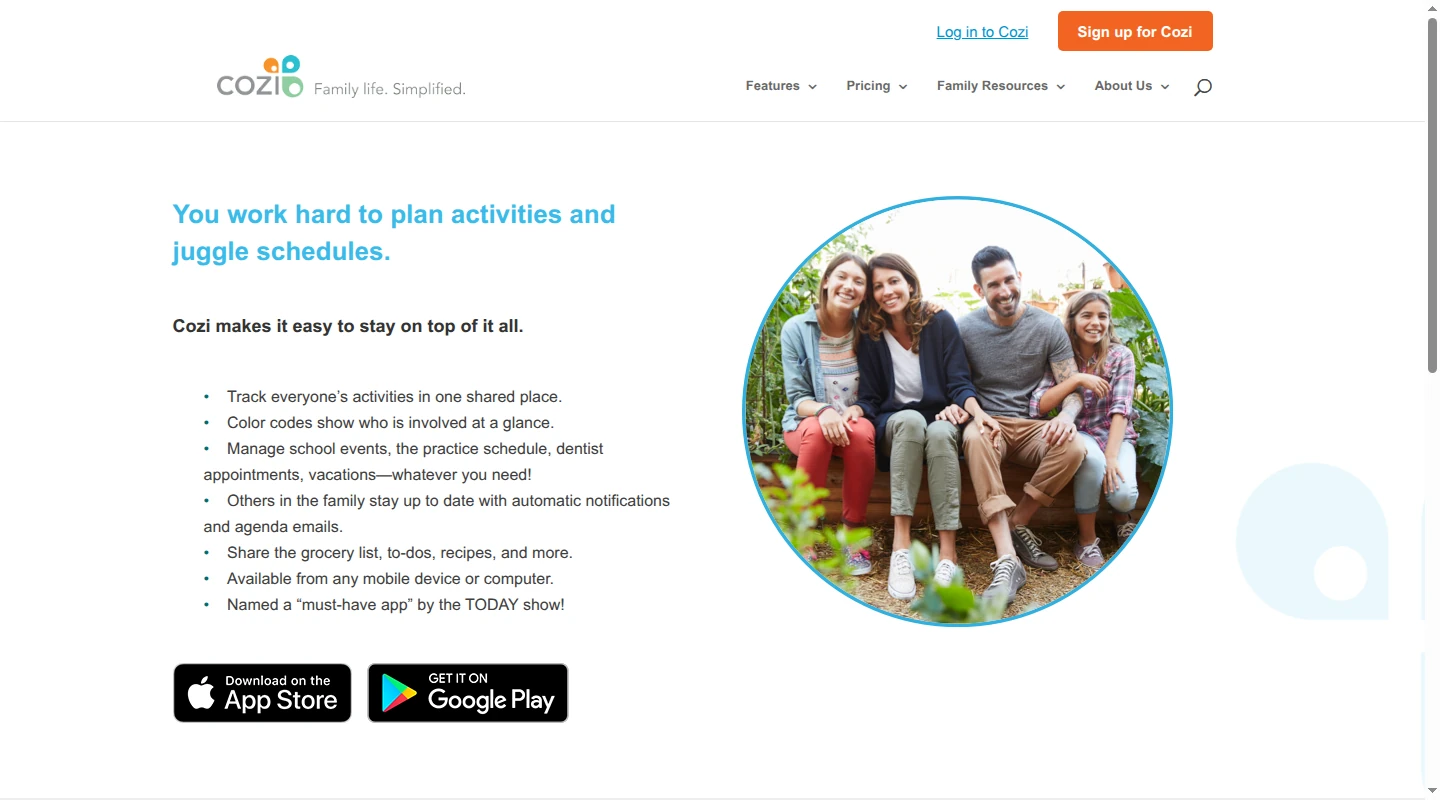
Cozi centers the family around one color-coded calendar. It supports up to 12 named members, and an event can belong to one person, several people, or the whole family. The same account is available on iPhone, Android, and the web, which helps when parents use different phones or someone prefers entering a season's worth of events at a computer.
The free plan includes the shared calendar, one reminder per attendee, shopping and to-do lists, recipes, and meal planning. It displays ads, and the mobile calendar limits free users to a 30-day planning window. Families that plan a school term at a time will run into that boundary quickly.
Cozi Gold costs $39 per family each year. It removes ads and adds the mobile month view, calendar search, up to three reminders per event, calendar-change notifications, birthday tracking, and Shopping Mode.
Cozi Max costs $79.99 per family each year through the U.S. iPhone app. It includes Gold along with Event Import, an AI recipe creator, and an AI meal planner. Cozi's Event Import instructions explain that a family member sends an email, PDF, or photo to a unique Cozi address. Cozi creates the event and initially assigns it to the sender. These three Max tools run in the mobile app.
Cozi uses one family account rather than private profiles for each person. Its current App Store description says everyone who signs in uses an included email address and the family's shared password. That setup works well when the parents run the calendar together, though it gives people who sign in broad access to the same account.
Outside calendars can appear in Cozi through iCal feeds from Google Calendar, Apple Calendar, Outlook, school systems, and sports services. Cozi's calendar-feed instructions explain that subscribed events are read-only inside Cozi. If Saturday's game moves from 10:00 to 11:30, the edit belongs in the calendar where the event began.
FamilyWall: more people, messages, and household records
FamilyWall groups people into private Circles. Adults join with their own email address and password, and an administrator can create an account for a child who does not have email. FamilyWall's member instructions document email, SMS, link, and child-account invitations. A family can also make separate Circles for extended relatives, a blended family, or another group. Nobody has to pass around one household password.
The current FamilyWall listing separates its free communication tools clearly: short messages notify one or several family members, while the Family Gallery is where people share photos. The free plan also includes a shared calendar, shopping and to-do lists, a recipe box, and a Family Directory. Tasks can have an assignee, due date, reminder, note, and category, which gives FamilyWall more detail at the individual-task level than Cozi's shared lists.
FamilyWall Premium costs $44.99 per family each year and includes a 30-day trial. Its Premium feature list adds a meal planner, document storage, budget tracking, timetables, family location, connected Google and Outlook calendars, more storage, and audio and video messages.
Premium also includes Magic Import. A Circle member forwards an event email to the Circle's unique address from the email account linked to their FamilyWall profile. FamilyWall can use the email text and its PDF or image attachments to create one or several events. It then sends a confirmation and lists the results in Import History.
Magic Import saves retyping, though it remains reactive. In a household where one parent is the primary organizer, that parent still has to find the message and forward it before FamilyWall can create anything. Another Circle member can do the forwarding, but FamilyWall does not surface the email on its own. Its output is a calendar event, so a permission slip or packing task mentioned in the same newsletter still needs to be added separately.
Cozi vs FamilyWall feature comparison
| Feature | Cozi | FamilyWall |
|---|---|---|
| Shared calendar | Color-coded members, filters, and reminders | Color-coded individual or whole-family view and reminders |
| Member access | One family account and shared password; up to 12 named members | Separate credentials, administrator rights, child accounts, and multiple Circles |
| Shopping lists | Included free | Included free |
| To-dos | Cozi documents assigning a shared list to family members | Individual task assignment, due dates, reminders, notes, and categories |
| Recipes and meal planning | Included free; AI recipes and meal plans on Max | Recipe box included free; meal planner on Premium |
| Family messaging | Not listed in Cozi's current plans or features | Short messages free; audio and video messages on Premium |
| Photos and contacts | Not listed in Cozi's current plans or features | Family Gallery and Family Directory included free |
| Location and place alerts | Not listed in Cozi's current plans or features | Premium |
| Budget and documents | Not listed in Cozi's current plans or features | Premium |
| Outside calendars | Read-only feeds to and from major calendars | Google and Outlook connections on Premium; iCal feed for displaying FamilyWall events elsewhere |
| Email or attachment import | Max, $79.99/year through the U.S. iPhone app | Premium, $44.99/year |
| Ads | Free plan; removed on Gold and Max | Free plan; removed on Premium |
FamilyWall has the longer feature list. Your family's existing habits matter more. If everyone already talks in Messages or WhatsApp and keeps documents elsewhere, the extra sections may never earn a place in your week. Cozi covers the calendar, lists, and dinner without asking the family to adopt another messenger. FamilyWall makes more sense when those extra records and conversations are exactly what you want to bring together.
How an email becomes a calendar event
Email import sounds similar across a comparison table. The trigger and the result are quite different once a school newsletter lands.
| Question | Babs | Cozi Max | FamilyWall Premium |
|---|---|---|---|
| What starts the process? | A parent connects Gmail, then Babs proactively scans for relevant events and to-dos related to children's schools and activities | A family member sends each email, PDF, or photo to Cozi | A Circle member forwards each email and its PDF or image attachments |
| What does the app produce? | Possible events and to-dos for both parents to review | A calendar event | One or more calendar events |
| What reaches the calendar? | A parent decides what to add. An approved event can be added to Google Calendar or Apple Calendar, where the family's schedule lives | The event is created in Cozi | The event is created in FamilyWall |
| How is it tied to the family? | Parents confirm child, school, and activity context; each parent has a separate login and can see suggestions, to-dos, and the family's Lineup | The sender becomes the initial attendee | The imported event appears for the Circle |
Suppose the newsletter announces a parent night on Thursday and asks for a field-trip form by Monday. Cozi Max and FamilyWall Premium can create the parent-night event after someone forwards the message. The deadline still needs a to-do. With Gmail connected, Babs can proactively surface both missing details for review. Each parent can see the suggestions in Babs, and a parent decides what to add. The approved event goes to the family's Google Calendar or Apple Calendar, where the schedule lives, while the form deadline becomes a to-do in Babs. That is the practical difference between shortening data entry and finding the work before a parent has to enter it.
Connected calendars still have one place for edits
Cozi's outside-calendar connections are read-only appointment feeds. An event from Google Calendar can display in Cozi, and a Cozi event can display in Google Calendar, though each remains editable only at its source. Feed updates may also take time to appear.
FamilyWall Premium can display selected Google and Outlook calendars for selected Circle members. It also lets a family generate an iCal feed to display FamilyWall events in another calendar. FamilyWall's Cozi-import instructions explain the two choices for a Cozi calendar: a one-time snapshot or a Premium read-only subscription that can receive later updates.
This becomes more important as children get older and invitations start arriving directly through Google Calendar. A subscribed calendar can spare a parent from entering the same event twice, though it does not turn the copied view into another place to edit it.
Whichever setup you choose, each event needs one dependable place for edits. Change a subscribed event in its source calendar. Change a native Cozi or FamilyWall event in the app that created it. That avoids the small domestic mystery of practice appearing at two different times on two different screens.
Which option fits your household?
Choose Babs when Gmail is where the calendar gaps begin
Babs fits when school and activity details arrive in Gmail and a parent keeps having to turn those messages into the family's schedule and follow-up list. Google Calendar or Apple Calendar stays where the family's schedule lives. Babs is the proactive family operating system that works alongside the calendar, finding missing events and to-dos and reducing the manual work of adding them. Parent-confirmed household context helps Babs learn what matters, and a parent reviews each suggestion before the calendar is updated.
Babs is built for the household. Each parent has a separate login and can see suggestions, to-dos, and the family's Lineup, a preview of who needs to be where and when. If practice moves from 5 p.m. to 6 p.m., Babs flags the change for a parent's review before the calendar is updated. Cozi or FamilyWall will fit better when children or other caregivers need their own login, or when groceries, meals, documents, and location are the main job.
Choose Cozi for a focused family organizer
Cozi fits when a color-coded calendar, shopping lists, to-dos, recipes, and meal planning cover what your family needs. Gold is worth comparing if you plan more than 30 days ahead or want a mobile month view and change alerts. Max is the relevant tier if you expect to forward event emails, PDFs, or photos regularly.
Choose FamilyWall when more people and records belong in the app
FamilyWall fits when separate logins, child accounts, messaging, and several Circles matter. Premium earns its higher price by adding location, documents, budgets, timetables, meal planning, connected calendars, and Magic Import. It is the broader of the two family organizers.
Keep Google Calendar or Apple Calendar as the schedule's home
Google Calendar or Apple Calendar remains where your family's schedule lives. Either may already cover the household if invitations arrive there and you do not need shared groceries, meals, location, or household records. If school and activity details stay buried in Gmail, Babs works alongside the calendar. It proactively finds missing events and to-dos for parent review and reduces the work of adding approved events. Each parent has a separate login and can see suggestions, to-dos, and the family's Lineup. Babs compares more ways to plan the week in its guide to family calendar apps.
Cozi vs FamilyWall FAQ
Can you move a Cozi calendar to FamilyWall?
Yes. FamilyWall can import a Cozi calendar from its URL as a snapshot. Free users can bring over up to 30 events this way, while Premium users can subscribe to the Cozi feed for ongoing read-only updates. FamilyWall's documented migration covers calendar events only.
Which app works better for children without email?
FamilyWall can give a child a separate account without requiring an email address, so it is the better fit when the child needs direct access. Cozi's current documentation describes one family account that people access with an included email address and the family's shared password. It does not document separate child accounts.
Do Cozi and FamilyWall work on iPhone, Android, and the web?
Yes. Both offer iPhone and Android apps along with browser access. Their current iPhone and iPad versions require iOS or iPadOS 17 or later.
Which app has better privacy?
Neither has a clear advantage in its current iPhone disclosure. Cozi's App Store disclosure says identifiers and usage data may be used to track users across apps and websites. FamilyWall's disclosure lists identifiers for tracking. Apple explains that App Store privacy details come from developers, are not verified by Apple, and can vary by feature or plan.
Cozi and FamilyWall make the family plan easier to see once someone has entered it. If your Sunday night audit still begins with digging through Gmail, see how Babs works and keep the calendar your family already knows.
Related articles

Family organization · Babs
Adjoining rooms vs connecting rooms for a family stay
Compare adjoining and connecting hotel rooms, suites, and vacation rentals by sleep layout, total cost, daily work, and flexibility for a family stay.

Family organization · Babs
Family trip planning without one person carrying it all
A practical way to share the decisions, bookings, packing, changes, and return home when you plan a family trip.