Free family tracking apps: sharing, costs and controls
By Babs Team · · 10 min read

Choosing a free family tracking app starts with the phones your family uses and who needs to see whose location. Sharing a location for one pickup is different from keeping it visible every day, and locating a child's supervised device comes with separate controls. What stays free after a trial matters, too.
Free family location-sharing apps at a glance
Apple Find My, Google Maps and Life360 all offer ongoing location sharing without a paid app subscription. Phone, mobile-data and internet costs still apply. Life360 has paid memberships; the core sharing features in Find My and Google Maps do not require a location-sharing upgrade.
These are options for people choosing to share their device's location. Sharing can be one-way: seeing someone's location does not necessarily mean they can see yours.
| Your family's situation | The relevant option and trade-off |
|---|---|
| Everyone sharing uses an iPhone | Apple Find My has individual sharing and optional Family Sharing. It does not give an Android relative the same People-tab experience. |
| Parents, teens or relatives use a mix of iPhone and Android | Google Maps shares with selected contacts. Sharing for more than 24 hours requires a Gmail recipient; a temporary link can be opened by anyone holding it. |
| The family wants a dedicated shared map, arrival alerts and recent history | Life360 groups members into Circles. Its free US plan includes two Place Alerts and two days of location history. More history and alerts require a paid plan. |
Google Family Link serves a separate need: a parent viewing a supervised child's compatible device. Its supervision controls differ from mutual location sharing between adults.
Apple Find My for an iPhone household
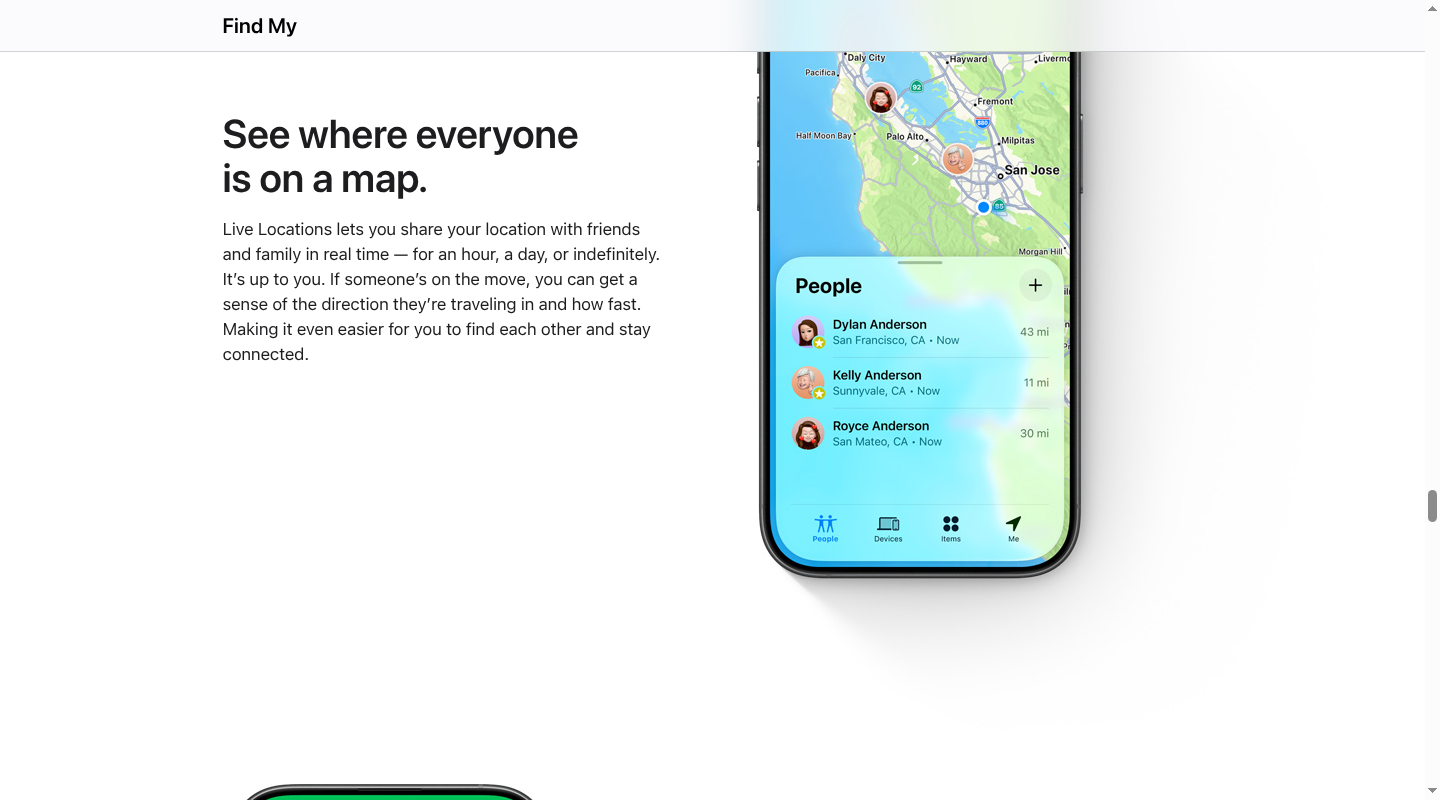
Find My fits people who already use Apple devices and want location sharing without another subscription. The app is available on iPhone, iPad, Mac and Apple Watch. For Live Location, both the person sharing and the recipient need an iPhone with iOS 15 or later. People can share individually with friends or relatives; an Apple Family Sharing group is optional.
For an individual share, open Find My > People > Add > Share My Location, choose a contact and select how long to share. The duration can be indefinite.
For a family group, the organizer and up to five other people use their own Apple Accounts. Location sharing has an important setup detail: when the organizer enables it for the group, the organizer's location is shared with everyone, including members who join later. Other family members choose whether to share their own location. In Settings, Family > Location Sharing lets a person select specific family members.
That makes individual sharing useful for a smaller arrangement, such as two co-parents and a grandparent, without treating every relative as one audience. Recurring arrival and departure notifications are available, too. For a recurring notification, the person sharing must accept the invitation first.
To stop sharing with one person on an iPhone, open Find My > People, select their name, tap More, then tap Stop Sharing My Location. To stop with everyone, open Me and turn off Share My Location. People may notice that sharing has stopped. A child's settings can work differently: Screen Time restrictions may prevent children or teens from changing their own location-sharing controls.
Find My also locates devices and items. Those are separate functions from the People tab. A missing-phone feature should not be confused with a guarantee that a family member's current location will be available.
Apple's location-data limits
Apple processes device, account and Find My usage information, including the people someone shares with. For Share My Location, location is inaccessible to Apple when both people use iOS 17 or later. An existing sharing relationship involving an older operating system can work differently.
Apple states that location is retained for up to 24 hours to provide the service, then deleted. That service-retention statement does not mean stopping a share erases information another person has already seen or saved.
Google Maps for sharing across iPhone and Android
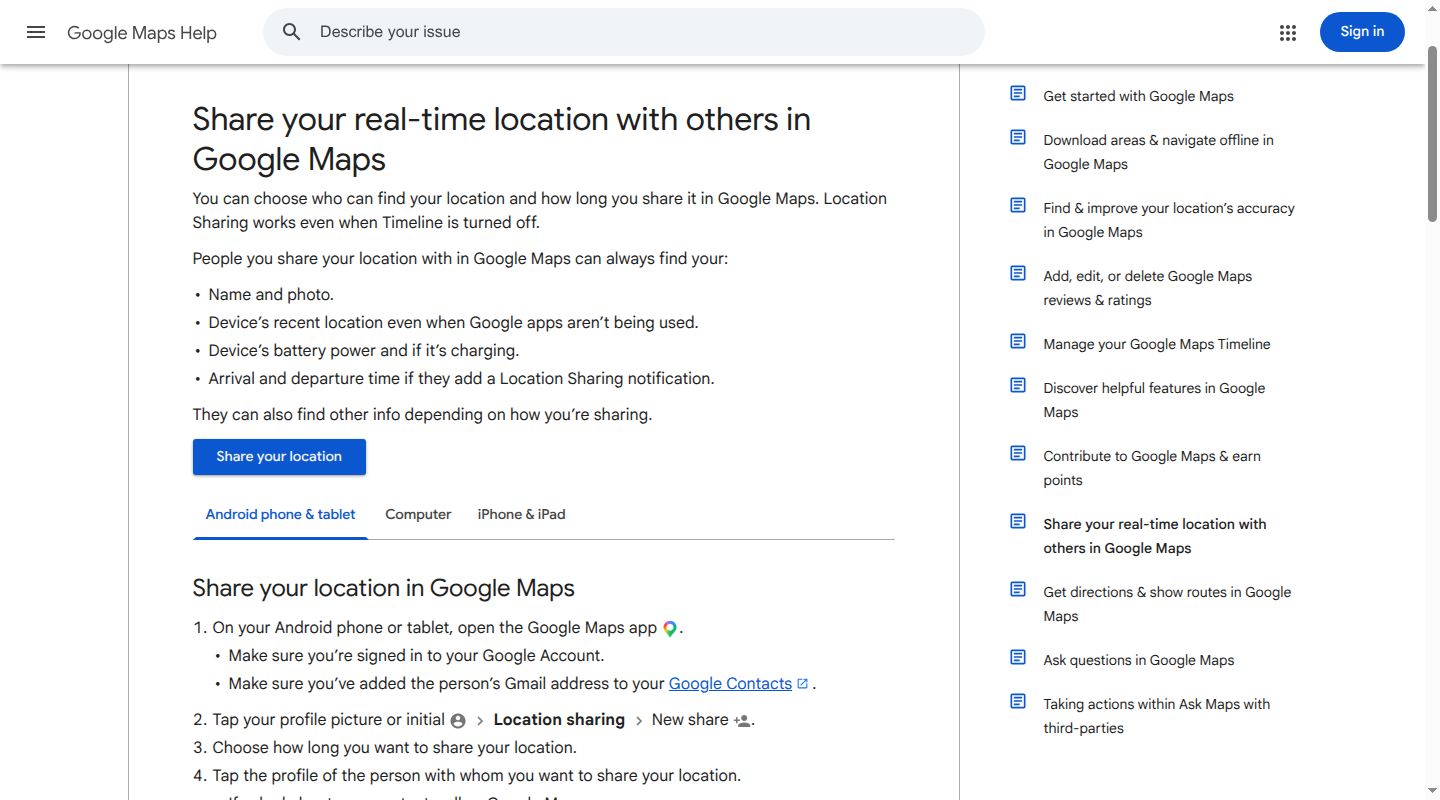
Google Maps lets someone on Android or iPhone share with a selected contact, without joining a whole-family group. Sharing starts in the mobile app; a computer can also display and manage shares.
For shares longer than 24 hours, the recipient needs a Gmail account. Open Maps > profile picture > Location sharing > New share, choose the recipient and select Until you turn this off, where available. Age, region and work or school account restrictions can affect availability.
A link works differently. Someone without a Google Account can view a link-based share for up to 24 hours, and anyone holding that link can open it. That suits a temporary pickup arrangement more than an ongoing family setup.
Recipients can see the sharer's recent device location, name, photo, battery level and charging status. To end a share, open Location sharing, select that person and tap Stop. A request for someone's location can be declined or blocked.
Location Sharing and Timeline have different controls
Google Maps Location Sharing works while Timeline is off. Timeline is the separate setting that saves a personal map of places visited, and it is off by default.
For saved Timeline data, Google offers manual deletion or auto-delete after 3, 18 or 36 months. Turning Timeline off leaves earlier data subject to its existing deletion settings. Other Google activity settings can also save location-related information, and location information can be used for ads depending on settings. Ending a live share and deleting saved account activity are different actions.
Life360 for a dedicated family map
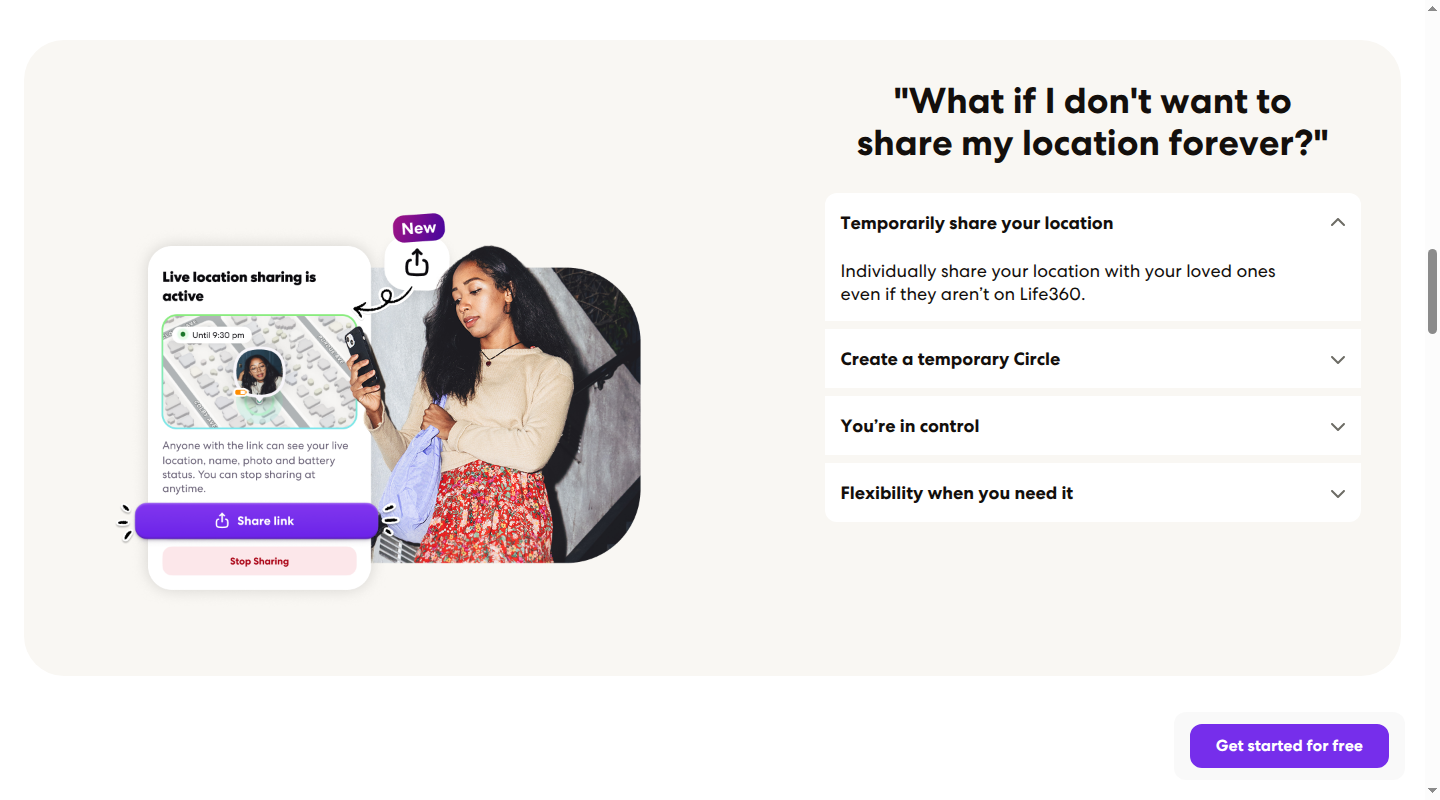
Life360 gives family members a shared map through a Circle, its name for a private group. Each person needs an account and the app on a supported phone. It supports iPhone and Android, with current requirements of iOS 17.4 or later and Android 10 or later. Tablets, desktop computers and smartwatches are not supported as the app platform.
The free US membership includes location sharing, two days of location history and two Place Alerts. A Place Alert is an arrival or departure notification for a saved location. School and home could use both free places; a family wanting alerts for several activity locations would reach that limit quickly.
Paid memberships extend the history window and place-alert allowance. The US Silver plan includes seven days of history and five places; Gold and Platinum include 30 days and unlimited place alerts. They also add other services. Those extras are separate from the ongoing free sharing, so a family that only wants the shared map does not need to begin with a paid trial.
Life360 also offers a timed location-sharing link for someone who does not use the app. It can last for one, four or eight hours, or until the end of the day, with an option to stop earlier.
Circle sharing is opt-in, with visible pauses
Each Circle member must enable location sharing, and Life360 cannot prevent a member from turning it off. Open Settings > Location Sharing and switch the toggle off. Other members see Location Sharing Paused under that person's name.
The change applies only to the selected Circle. Someone sharing with a household Circle and a separate relatives' Circle has two controls to change. Check In, SOS and enabled Crash Detection have separate location-sharing behavior and can share location even while the ordinary sharing toggle is off.
Turning the toggle off stops future ordinary updates. It does not delete history Life360 has already collected. History belongs to the account rather than one Circle, so members of a Circle someone joins later may see history within the available window.
Circle visibility and partner-data choices are separate
Life360 collects precise location, movement and driving-related information. Circle members may see location, driving events and motion activity. The service also has advertising and partner-sharing controls; joining a Circle and choosing those settings are separate decisions.
In Settings > Privacy Center > Your Privacy Choices, the Include my data control covers advertising and partner sharing. Traffic and retail insights have their own control, while Trusted Partners lists connected services. Disconnecting a partner may affect a feature it supports.
An advertising or partner-sharing opt-out does not stop service-related location collection or turn off ordinary Circle sharing. Likewise, two days of visible history on the free plan is a viewing allowance, not a promise that every record held by the company is deleted after two days.
Google Family Link for a supervised child's Android device
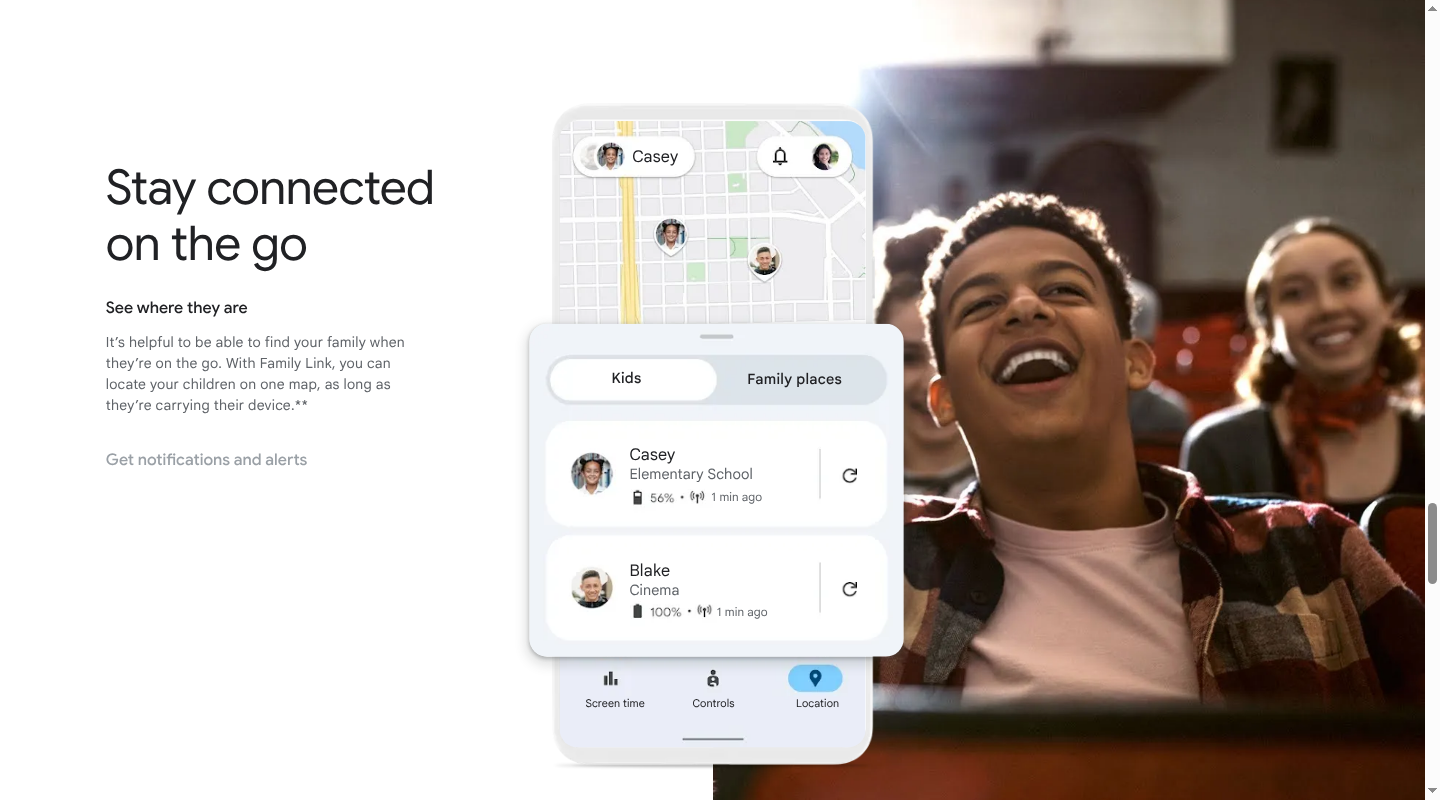
Family Link is a parent-supervision tool. Its location feature lets a parent view a child's compatible device, rather than giving the household a mutual map of every adult.
A parent can use the Family Link app on Android or iPhone to view a supervised child's Android device. An iPhone parent can view a child's Android device; that does not make a child's iPhone trackable through Family Link. Chromebooks can support some supervision features, but do not report a child's location through this feature. Compatible Fitbit devices are another supported category, separate from the phone-based choices here.
The Family Link app and its child-device location feature do not require a paid app subscription. Screen-time limits and app-management controls are other supervision features, not extra kinds of location sharing.
In the parent's Family Link app, open Location, select the child and set up location sharing. The parent can turn See your child's location on or off and set arrival or departure alerts for family places. A child with several devices is represented by the most actively used device, rather than every device at once. A powered-off, offline or recently unused device may have no available location.
For a child below 13 or the applicable local age, Google's Family Link disclosure describes location information from sources such as GPS, IP addresses, device sensors and nearby networks, depending on the device and settings. Parents can manage activity settings and access, export or delete account information. Other Google products and third-party apps have their own terms and controls. Turning off the location view is separate from deleting the child's account data.
Choose the audience as carefully as the app
The practical distinction is whether a share goes to one person, a Circle or a parent supervising a child's device. A relative who needs a location for today's pickup does not necessarily need an ongoing share. Google Maps' time-limited link handles that differently from its contact-based sharing; Life360's ordinary toggle applies Circle by Circle; Find My offers person-specific controls.
Across all three mutual-sharing apps, stopping future sharing and removing past data are different jobs. A pause is also visible or noticeable in some circumstances. None of these controls should be understood as a way to erase what someone already saw.
Babs for the events and to-dos around pickup
A location app shares a device's position. The changed dismissal time, practice address and permission-slip deadline still belong with the family's plan.
Babs is a family operating system that brings school and activity events, emailed changes and to-dos into one place for the household. A parent connects Gmail, then Babs surfaces relevant details for review. Approved events can be added to Google Calendar in one tap, and accepted to-dos stay in Babs. Two parents can use separate logins and see shared events, to-dos and the Lineup's view of the week ahead.
That is a separate role from location sharing. For the schedule itself, our family calendar comparison covers household access and device fit. Our family to-do list guide covers the preparation around those events.
Babs is free, in private beta and available on iOS. Join the Babs waitlist to give both parents a view of the plan around the pickup pin.
Related articles

Family organization · Babs
A family meal planning app everyone can use
Compare AnyList, Plan to Eat and Cozi for shared meal plans, recipe imports, grocery handoffs, devices, household pricing and provider-described data practices.

Family organization · Babs
Best carpool app for parents: apps and shared sign-ups
Compare GoKid, Carpool Kids, Carpoolio and CarpoolConnect with Google Sheets and Forms, including driver slots, calendar sync, access and costs.