Best newborn apps for shared feed, diaper and sleep logs
By Babs Team · · 10 min read

When a partner or grandparent takes over newborn care, they should get the last feed’s details from the shared log, without tracking down whoever entered them. Plenty of apps track feeds, diapers and sleep. The differences are in who can see and add records, which phones, watches or computers work, where the baby’s data goes, and whether tracking stays free or requires payment after a trial.
Choose a newborn log around the people using it
A newborn tracker records feeds, diaper changes and sleep entered by a caregiver. All four apps here cover those basics on iPhone and Android. The differences become clearer when a second person needs access.
| Your family’s priority | App to consider |
|---|---|
| Ongoing free phone logging, with caregivers comfortable sharing one account | Huckleberry |
| Separate caregiver logins and an ad-free family plan, with a lifetime-payment option | Nara Baby |
| Separate caregiver accounts plus entry from a computer browser | Baby Connect |
| Free core phone tracking with ads, plus Apple entry options whose tier eligibility is unclear | Baby Tracker – Newborn Log by Nighp Software |
“Syncs across devices” can mean two phones using one password or several people with separate accounts. That distinction matters when a sitter joins, a caregiver leaves or someone needs their own login.
These are logging apps. Their core records do not require a camera, wearable or crib sensor, and a saved sleep entry is not a measurement of breathing or oxygen. Optional predictions and advice are separate features. A timestamp cannot establish whether a newborn’s feeding or sleep is medically appropriate; those questions belong with the baby’s clinician.
U.S. newborn-app pricing in 2026
Free download and free ongoing tracking are different offers. Huckleberry and Baby Tracker have free core logs. Nara Baby and Baby Connect require payment to keep adding records after their trials.
| App | U.S. cost and what it covers |
|---|---|
| Huckleberry | Free core logging and caregiver device sync. The website’s annual-billing offers show Plus at $5.74 per month and Premium at $9.99 per month, both billed yearly. |
| Nara Baby | Seven-day trial, then $9.99 per month or $99.99 once for lifetime access. One payment covers one app family and its invited caregivers. |
| Baby Connect | Seven-day trial, then a subscription for new entries. The U.S. iPhone listing names Family plans at $29.99 for six months or $49.99 for 12 months, covering up to five children. |
| Baby Tracker by Nighp | Free core tracking with ads. The U.S. iPhone listing shows Remove Ads at $4.99 and optional Plus at $5.99 per month or $49.99 per year. One Plus subscription can cover the sync group. |
After Nara’s trial or paid access ends, existing records remain available to view and export, while new entries stop.
Huckleberry’s annual prices are displayed as monthly equivalents, not month-to-month charges. Baby Connect also shows a $6.99 Family purchase card without clearly labeling its billing period, so it is not a reliable monthly-price comparison. Baby Connect’s and Nighp’s public Android listings do not expose exact U.S. checkout amounts. Promotions, platform offers and renewal prices can differ from the offers above.
Huckleberry: a free log with a shared account
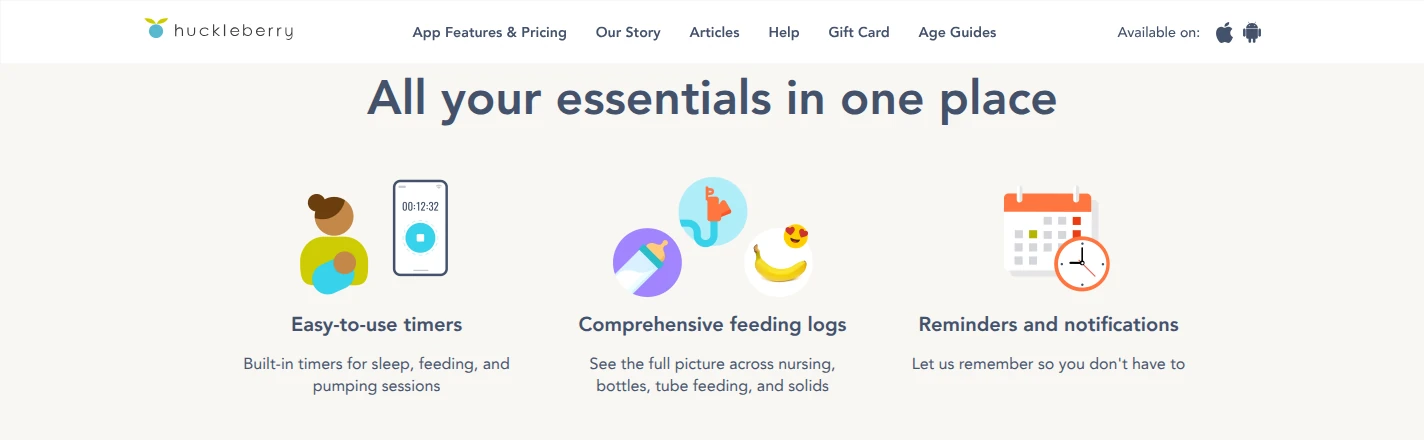
Huckleberry’s free plan includes feeds, diapers, sleep and pumping, reports, multiple child profiles and caregiver syncing. It fits a household that wants a continuing free log and is comfortable having everyone use the same account.
That last part is the trade-off. Caregivers sign in with the same credentials on their phones; they do not receive separate invited accounts. This can suit two parents, while a family adding a temporary caregiver may prefer individual logins. Huckleberry accepts offline entries, but they do not sync until the device reconnects. Two people logging offline can end up with records out of sync.
The ordinary entry method is tapping in the phone app. Plus and Premium add logging by text, voice or photo, along with iOS widgets, lock-screen live updates and Apple Watch logging. Watch entries cover sleep, nursing, bottles, pumping and diapers. Paying for those entry methods is a different decision from needing a basic newborn log; the free plan already provides that.
For a spreadsheet copy, tap the child icon and choose Export tracking data as CSV. CSV is a file format that opens in spreadsheet apps. Huckleberry emails a download link for that child’s records, valid for 24 hours. Its export instructions do not specify which membership tiers are eligible.
Huckleberry collects account and child-activity information and uses service providers. Its policy also allows use of anonymous information. Account deletion is available in the app and removes personal information from the active database, with legal-retention exceptions and anonymous derived data retained. Sharing an account therefore means sharing access to sensitive baby records, as well as a convenient way to add the next bottle.
Nara Baby: individual logins under one family payment
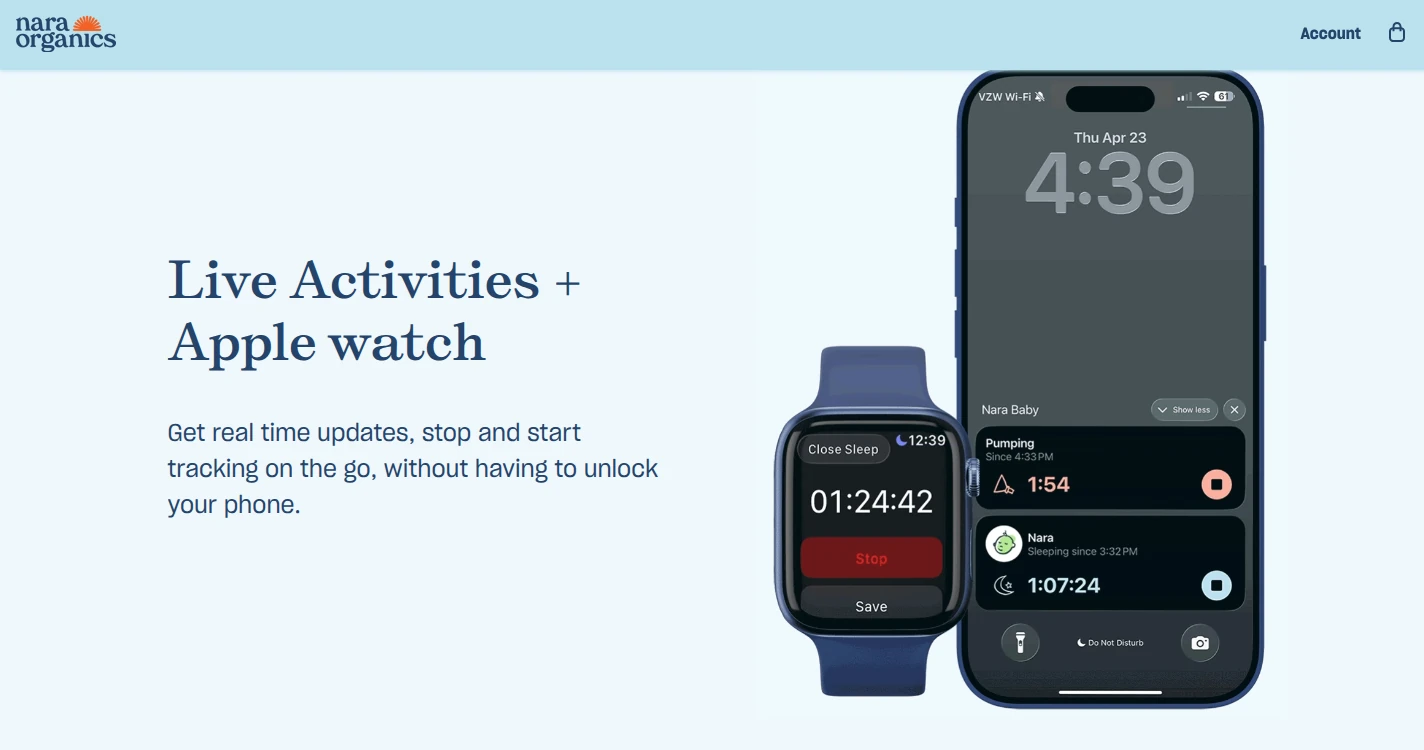
Nara Baby offers timed nursing, bottle feeds, pumping, diapers and sleep, with manual entries and editable times. Its family membership includes Apple Watch, Siri and lock-screen Live Activities alongside the phone apps. Siri entry requires an internet connection.
Each caregiver gets an invitation from the Family tab and creates a separate account. Everyone invited has full access; this is not a view-only invitation for a grandparent. The family creator can remove a caregiver from that same tab. One payment covers the app family, including its children and invited caregivers. Separate app families need separate paying members.
The monthly and lifetime options include the same features and no ads. A short period of newborn logging does not require a lifetime commitment.
Nara’s consumer-health policy says it does not sell consumer health data or use it for targeted advertising or profiling. Authorized family users and service providers can receive data. Ad-free describes the experience; it does not mean nothing leaves the phone.
Export is available from Activity → child avatar → Export Data, including after paid access ends. It produces a CSV. Account deletion is a separate control under Account → Settings → Email & Password → Delete Account. Nara does not clearly state the deletion timetable or what happens to a shared family’s records for other caregivers when one person deletes their account.
Baby Connect: linked caregivers and a browser option
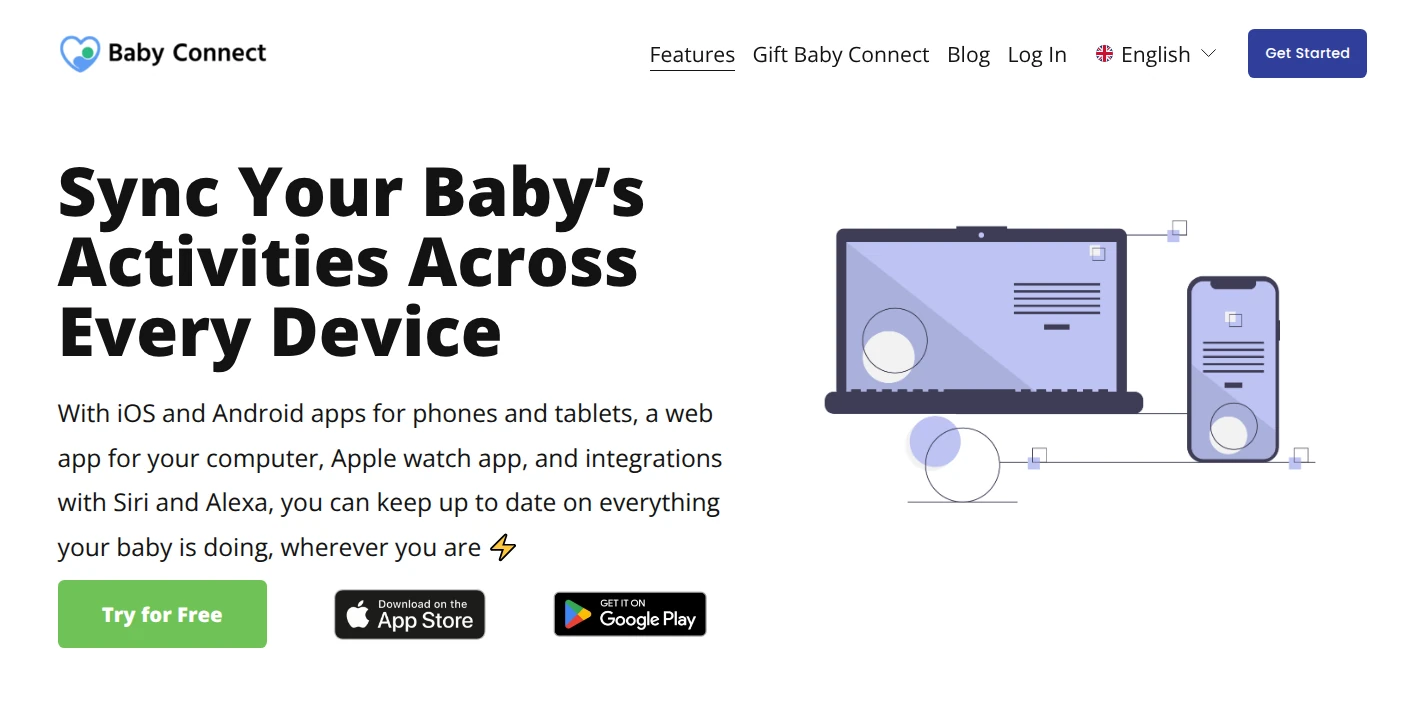
Baby Connect covers feeding, sleep, diapers and pumping on phones and tablets, with a web app for someone who would rather enter records on a computer. It also supports Apple Watch, Siri and an Alexa skill. Those extra entry points are useful when the caregiver doing the logging is not always holding the same kind of device as the parents.
Caregivers have separate linked accounts. In the mobile app, tap the child’s name, then Add Parent/Caregiver, and enter the caregiver’s email. The invited person creates an account using that address or the invitation code. Linked caregivers can view and enter information, and the service does not cap the number linked to a child profile. The Family subscription covers family members and caregivers rather than selling individual caregiver seats.
Reports can be customized and emailed as CSV or HTML, a format viewable in a browser. After the trial, an unsubscribed account retains read-only access, but Baby Connect does not clearly state whether export remains available in that state. A readable history and a downloadable copy are different things.
The policy allows sharing with authorized caregivers and service providers, and use of aggregated or de-identified information. It says personally identifying information is not rented or sold for commercial or marketing use. Optional AI features can involve external services such as Google Gemini; Baby Connect says it removes identifying details before sending data, and users choose whether to enable those features.
Deletion has a consequential shared-caregiver rule. A parent can request account deletion under Settings → Account Info, but deleting that account does not necessarily delete the child’s shared records. Child-profile deletion depends on whether other caregivers had access during the previous 24 months and whether they remove the profile or authorize deletion. This matters for a record that several adults have helped maintain.
Baby Tracker by Nighp: free core tracking and optional upgrades
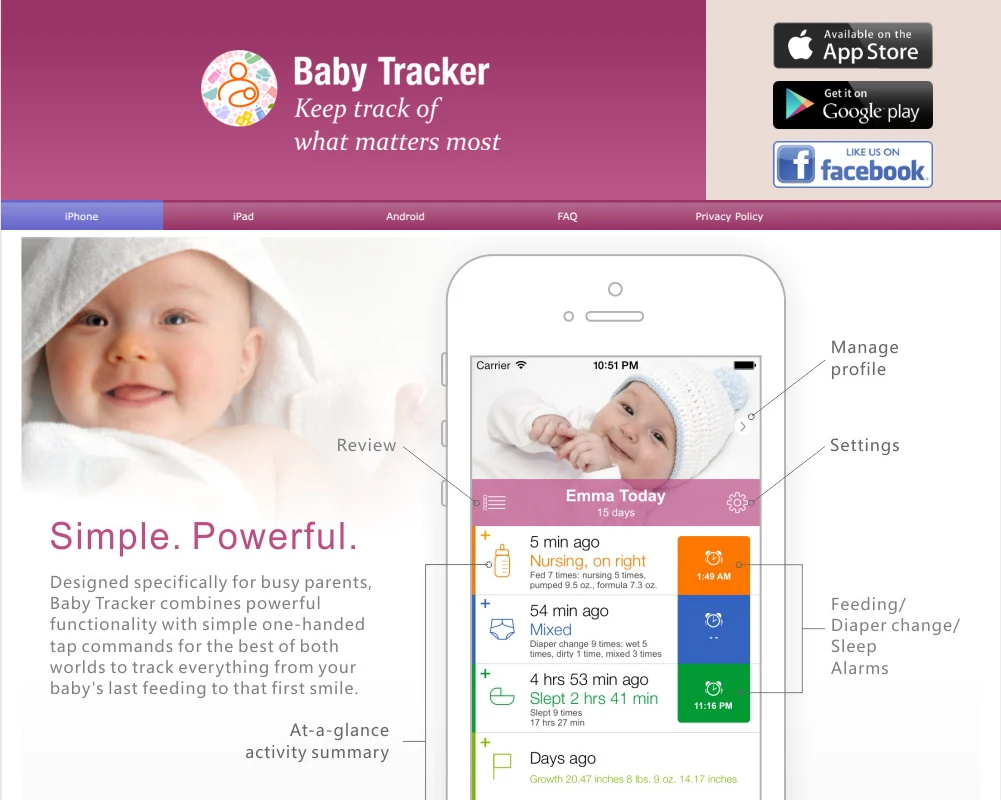
Several apps use the name Baby Tracker. This one is Baby Tracker – Newborn Log by Nighp Software, with nursing timers, bottle amounts, pumping, wet or dirty diapers, sleep and reports.
It runs on iPhone, iPad and Android. Its Apple listing also advertises Apple Watch entry, widgets, Live Activities and Siri options on supported devices, but does not clearly identify the current tier required for each entry method. Free core tracking does not establish that Watch or Siri entry is free. The newer natural-language Siri Quick Log requires iOS 26 and Apple Intelligence enabled. A phone that can install the app does not necessarily support that particular shortcut.
Caregiver records sync across devices, and a Plus subscription can unlock Plus for the sync group. Nighp’s older setup guides describe different iCloud, Dropbox and Baby Tracker Server routes. They are too old to establish one universal setup for every current version, so this is a less clearly documented choice for a family whose main requirement is individual caregiver accounts. The current Apple listing includes PDF reports, email and printing; it does not clearly spell out current export-tier requirements. A free CSV export is not established.
Privacy depends on the sync route. Nighp says it does not obtain personal information during use without server sync, or through a user’s own iCloud or Dropbox sync. Those cloud providers have their own policies. Baby Tracker Server sync can send Nighp baby details, entered records and photos. Its policy permits aggregated or anonymized uploaded information to be used to improve the app and train its AI models. The ad-supported version also involves advertising partners that may collect device and activity information.
Nighp’s public policy does not clearly document an in-app account-deletion flow or a timetable for removing server-held records. Local logging, shared cloud records and an ad-free upgrade should not be treated as the same privacy choice.
Privacy and export matter after the newborn weeks, too
The useful privacy comparison has two parts: which caregivers can see the log and what the provider can do with it. Separate logins make individual access easier to manage, but they do not automatically make a service more private. Neither does a paid plan or an ad-free screen.
App-store labels summarize data practices. Apple describes its privacy information as self-reported, and a label can cover several versions or uses of an app. It is not an independent privacy audit. A tracking disclosure also does not, by itself, prove that every feed or diaper record is used for advertising.
Export, cancellation and deletion answer different questions. Export gives the family a copy. Cancellation controls future renewal under the applicable billing terms; it does not necessarily end paid access immediately. Account deletion concerns data held by the service, with the shared-record and retention limits described above. An export is useful for keeping a history, but it does not establish that another newborn app can import it.
Babs handles the family plans beside the baby log
The newborn’s bottle history and an older child’s school pickup are different kinds of information. The tracker can hold what happened with the baby. A shared family calendar holds the commitments other people need to plan around.
Babs is the family operating system for the work around those plans. It reads connected Gmail messages for relevant family events, changes and to-dos, including school and activity updates. A parent reviews the suggestions and can add an event to Google Calendar in one tap. Two parents can use separate logins to share events, to-dos and the Lineup, a view of the week ahead. The Google family calendar guide explains the calendar setup that sits alongside it.
Babs is free and in private beta on iOS. Its role is family organization, separate from feed, diaper and sleep logging: keeping the older child’s half day from becoming a surprise while everyone is discussing the baby’s last bottle. For that part of family life, join the Babs waitlist.
Related articles
Family organization · Babs
A family meal planning app everyone can use
Compare AnyList, Plan to Eat and Cozi for shared meal plans, recipe imports, grocery handoffs, devices, household pricing and provider-described data practices.
Family organization · Babs
Best carpool app for parents: apps and shared sign-ups
Compare GoKid, Carpool Kids, Carpoolio and CarpoolConnect with Google Sheets and Forms, including driver slots, calendar sync, access and costs.