Family chore apps and displays for keeping track of jobs
By Babs Team · · 13 min read
You’d like the kids to know whose turn it is to empty the dishwasher without asking you. Ideally, you’d also like it emptied. A family chore app can give everyone a place to see their jobs and mark them done, on a phone or a shared kitchen screen. The trick is finding one that fits how your family handles chores, whether that means taking turns, earning allowance or having a parent check the work before it counts.
What to look for in a family chore app
Will it keep track of whose turn it is? A daily reminder can bring “empty the dishwasher” back every day without changing whose name is on it. Automatic rotation passes the job to the next family member. That saves someone from having to change the assignment each time.
What happens when someone taps “done”? Some apps count the chore as finished and add any money or points right away. Others let a parent approve the work first, sometimes with a photo. A record of who checked off a job is useful, but it doesn’t necessarily mean a parent has signed off on it.
Can the whole family use it for that price? Some free plans limit the number of family members; others charge for sharing at all. Unlimited devices won’t help a family of five when the free plan only allows three people.
Where will the kids see their list? An app can work on a shared phone or tablet; a dedicated display gives chores a place on the wall or counter. Skylight and Hearth both support chore lists, though their hardware and subscription costs differ.
These choices cover dedicated chore apps and lists on a shared screen:
| What your family needs | What each option provides |
|---|---|
| Taking turns, with a parent checking finished chores | S’moresUp includes rotation and approvals in Premium. Its free tier allows unlimited members and devices. |
| Some jobs to do together and others to take turns on | Homey separates shared, rotating and individual chores. The free tier allows three accounts. |
| A child’s chore list, without letting them change jobs or balances | Chorsee’s Child device mode shows a child their own chores and blocks edits to chores and reward balances. |
| Knowing what needs cleaning and who has done it | Tody tracks when cleaning is due, supports rotation and records contributions. Shared household access requires Premium+. |
| Assigned chores on a phone, with the option of a kitchen display | Skylight supports repeating chores you can check off. Basic chores on Calendar need no subscription; rewards require Plus. |
| Picture-based routines and chore lists on a shared wall display | Hearth combines assigned to-dos with visual routines. Task and routine features require Family Membership after the trial. |
For shopping lists, school forms and other shared tasks that do not need a chore roster, a family to-do list app comparison covers a broader set of tools.
S’moresUp: rotating chores and parent approvals
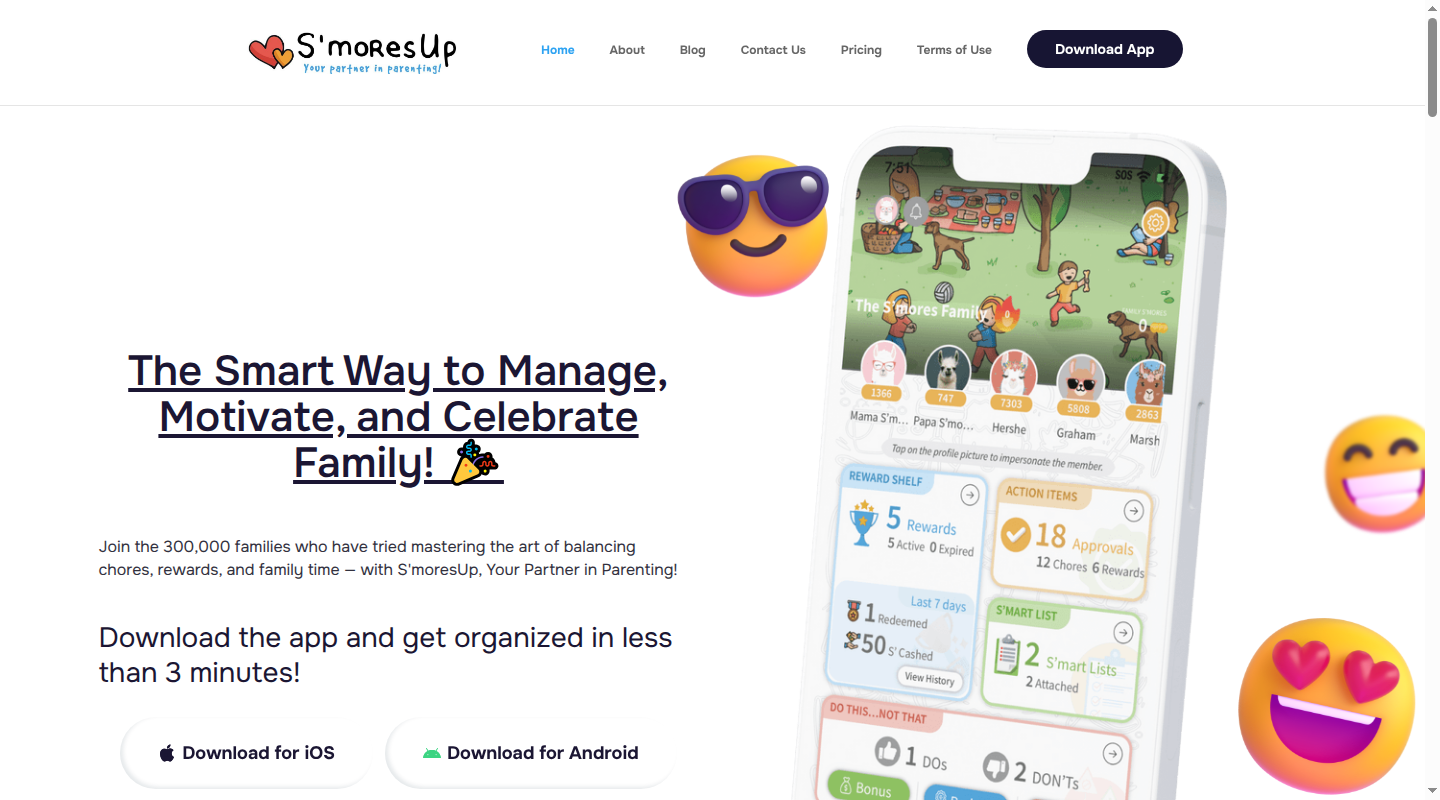
S’moresUp combines chore assignments, reminders, rewards and a family calendar. Its family profiles can include adults as well as children, so the roster does not have to stop at the kids’ bedrooms.
Taking turns is where the paid plan comes in. The free plan includes core chore scheduling, task reminders, basic rewards and unlimited family members and devices. Premium adds the Rotate, Collaborate and Compete chore modes.
Completion and controls: Premium lets a parent approve finished chores and require a photo. It also includes analytics, with activity reports showing completed work. So you can see who has checked off a job and decide whether to accept it as done.
Reminders and rewards: Basic task reminders are included in the free plan; Premium adds multiple reminders and more detailed reward rules. Children can collect S’mores points and redeem family-defined rewards. Premium also offers controls such as reward availability and late penalties. The app can track the rewards you agree on; it can’t promise the kids will suddenly love doing laundry.
Devices and household cost: S’moresUp is available on iOS and Android. Its free plan includes unlimited members and devices. New Premium subscriptions cost $9.99 a month or $99.99 a year, following the July 2026 price change; existing subscribers may retain earlier pricing. The pricing page describes a 45-day Premium trial; the store description additionally mentions a 450-completed-chore cutoff.
Homey: shared chores, separate jobs and rotating turns
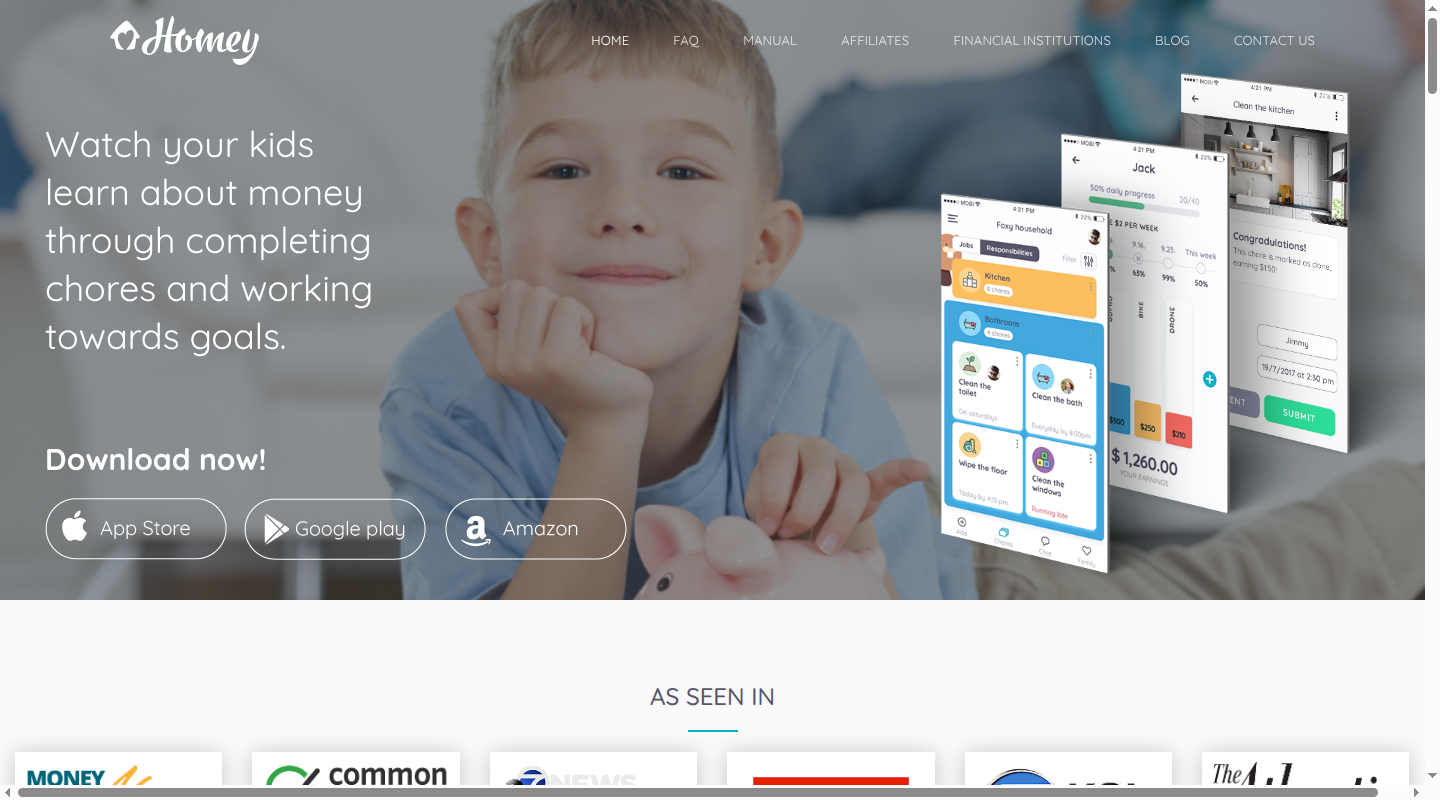
Homey lets you handle jobs differently depending on who’s doing them. A rotating chore passes to the next person after it’s finished. A shared chore is a job assigned members do together. A cloned chore puts a separate copy on each person’s list, so one person checking it off doesn’t finish it for everyone.
That means “clean the bathroom together” can be one shared job, while “put away your laundry” needs a checkmark from each person. Chores can repeat daily, weekly, monthly or on more specific schedules, or be one-off jobs.
Roles and completion records: Homey has parent, teen and child permission presets; Premium adds custom permissions. Adults can review a member’s daily or weekly report, confirm or refuse completed chores, and require a completion photo. It also allows changes to who completed a chore and when. A shared device supports switching between family accounts, so children do not each need a phone.
Reminders and rewards: Homey provides due and completion notifications. It separates unpaid “Responsibilities” from “Jobs” with a money value. Responsibilities can count toward a weekly allowance or privilege; Jobs can record extra earnings. Wallets and savings jars keep those amounts visible. The distinction is useful when some work belongs to the household and other jobs have an agreed payment attached.
Devices and household cost: Homey runs on iPhone, iPad and Android. The free tier supports three accounts across unlimited devices. That means three family members, not three children in addition to parents. A paid household subscription supports unlimited family members.
Published subscription examples differ by platform: the US iOS listing names Homey Monthly at $6.99 and Homey Yearly at $59.99, alongside other differently named purchases. The Android developer description lists $4.99 monthly or $49.99 yearly. These are published examples, rather than a guaranteed offer for every account; the purchase screen determines the applicable plan and price.
Homey gives you more ways to decide who does each job and who can approve it. Those choices also mean more to set up, especially when some chores are shared and others need to pass from one person to the next.
Chorsee: kids can see their chores without editing them
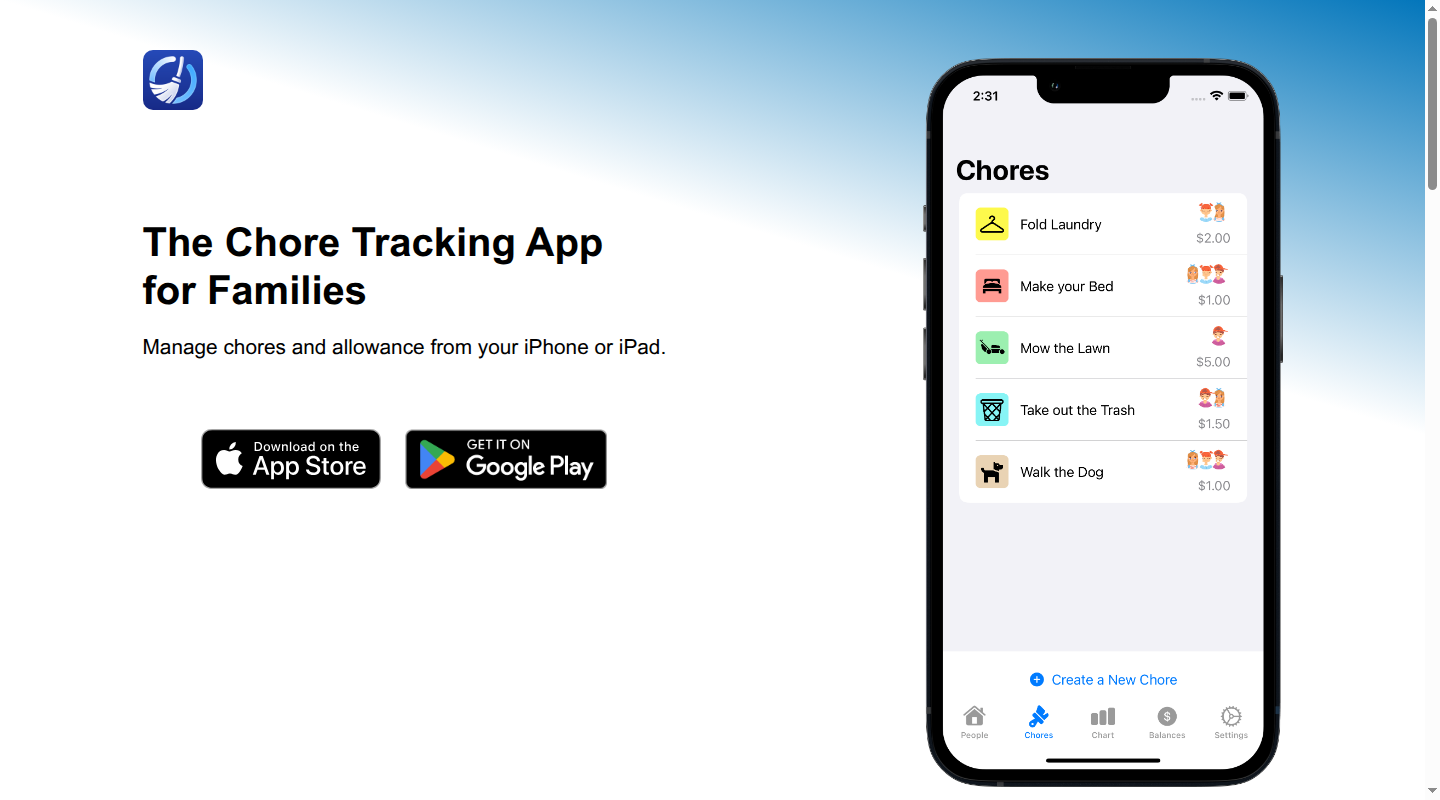
Chorsee keeps chores and their optional rewards in the same system. A chore can carry a money amount, award points or have no reward attached. It is a tracker rather than a bank account: it does not connect to banks or payment cards.
You can assign a job to one person or several. When several people are assigned, they can take turns or leave it open for whoever does it first. It also supports daily, weekly, monthly and selected-day schedules, alternating schedules, and one-time or as-needed chores.
Roles and completion records: Each family member has a profile, and each connected device can use Admin or Child mode. In Child mode, your child sees their own chores but can’t edit the jobs or change reward balances. Parents use Admin mode to make those changes. Profiles can also have a PIN.
The weekly chore chart lets you look back at previous weeks. Balance history shows what someone has earned and any adjustments.
Chorsee can require photo proof, but money for a completed paid chore is added to the balance automatically. That’s worth knowing when you want to approve a job before it earns its payment: a photo to review and an approval before payment are separate features.
Reminders and rewards: Reminders can be added to individual chores. Families using points or money can create rewards and track progress toward them; families that only want a roster can leave rewards off.
Devices and household cost: Chorsee is available on iPhone, iPad and Android, with multiple profiles and linked devices. Its public pages do not specify a household member cap or a complete list of free-tier limits, so the free download should not be read as a promised free family plan.
The US iOS listing includes $8.99 monthly purchases and annual offers of $39.99 and $89.99. Lifetime purchases are also listed at different prices. Those are distinct purchase options, rather than one universal annual rate.
Tody: a shared cleaning plan with contribution records
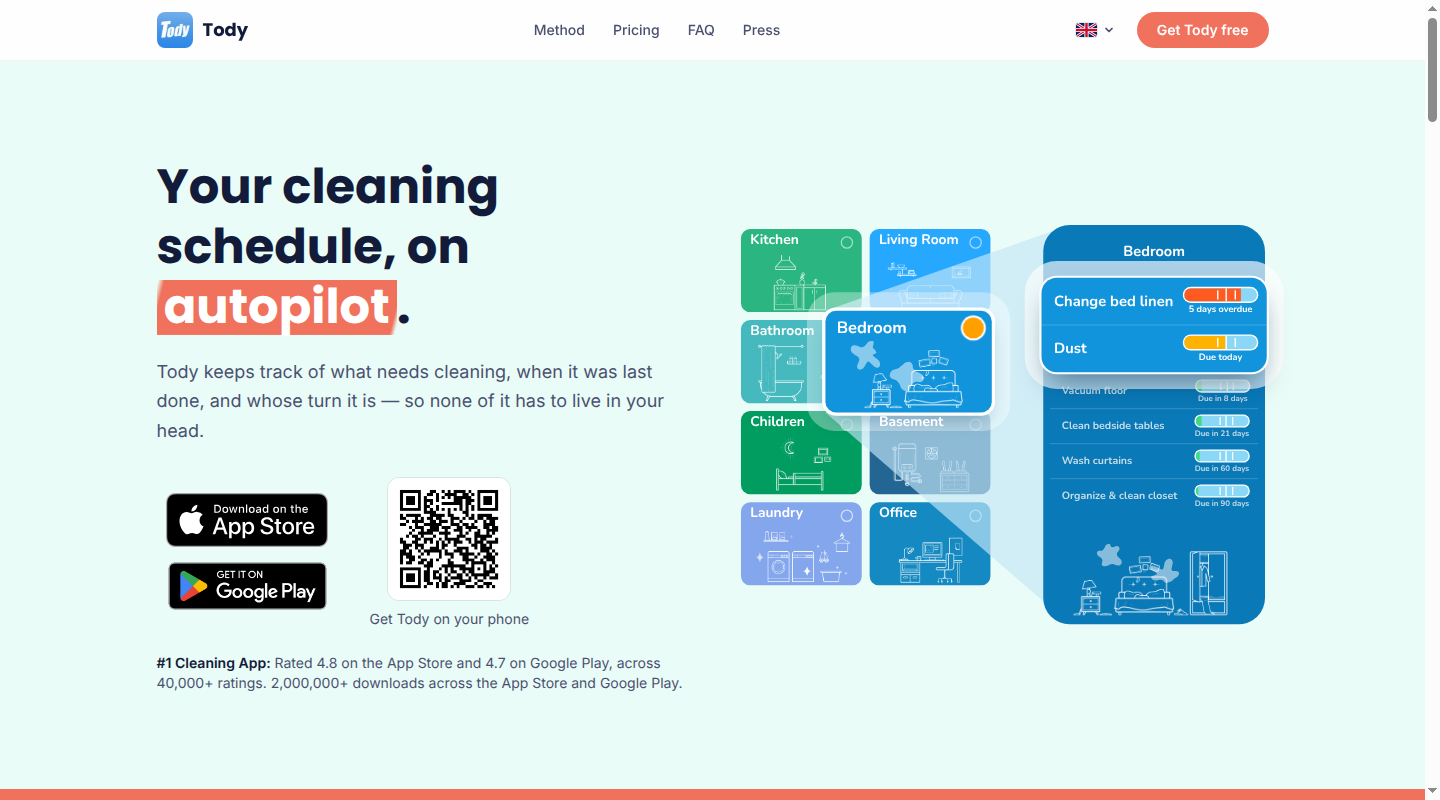
Tody organizes cleaning around tasks and the time since they were last completed. A task’s status moves from green toward red as it becomes due or overdue. The question is less “What is on Tuesday’s checklist?” and more “What needs attention around the house?”
Assignment and automatic rotation are available across its plans. Household syncing is the separate paid decision.
Roles and completion records: In a synced household, members can check off tasks and receive credit for the work. Premium+ includes FairShare contribution targets and monthly who-did-what reports. Tody’s documented shared workflow centers on contributions; it does not describe the parent/child permission system or adult approval queue offered by some of the other apps here.
Reminders and rewards: Notifications are optional. Tody includes a monthly cleaning game against Dusty, its in-app opponent. Its Prizes feature lets a household set rewards for beating Dusty or earning points in the monthly race. That is a different emphasis from setting a cash value for every chore.
Devices and household cost: Tody runs on iPhone, iPad and Android, with no web version. The free tier covers one person. Premium costs $9.99 a year and adds features such as multiple homes and a Focus Timer, but it does not include household syncing.
For shared access, Tody’s website lists Premium+ at rounded annual prices of $25 for Duo, up to two people; $40 for Family, up to six; or $80 for Team, up to twelve. The US App Store lists those tiers at $24.99, $39.99 and $79.99 respectively. Upgrades include a 30-day trial. For a five-person household, the relevant comparison is the Family plan, rather than the lower-priced individual Premium tier.
For calendars, meal planning and family documents alongside chores, the household management app guide compares tools with a wider scope.
Skylight and Hearth: chore lists on a shared screen
A list on the kitchen wall gives children a place to see their jobs without borrowing a parent's phone. Skylight and Hearth both offer that shared view, along with apps adults can use away from home. The bigger decision is whether you want chore tracking alone or a dedicated family display that also holds the calendar.
Skylight: assigned chores, with or without a display
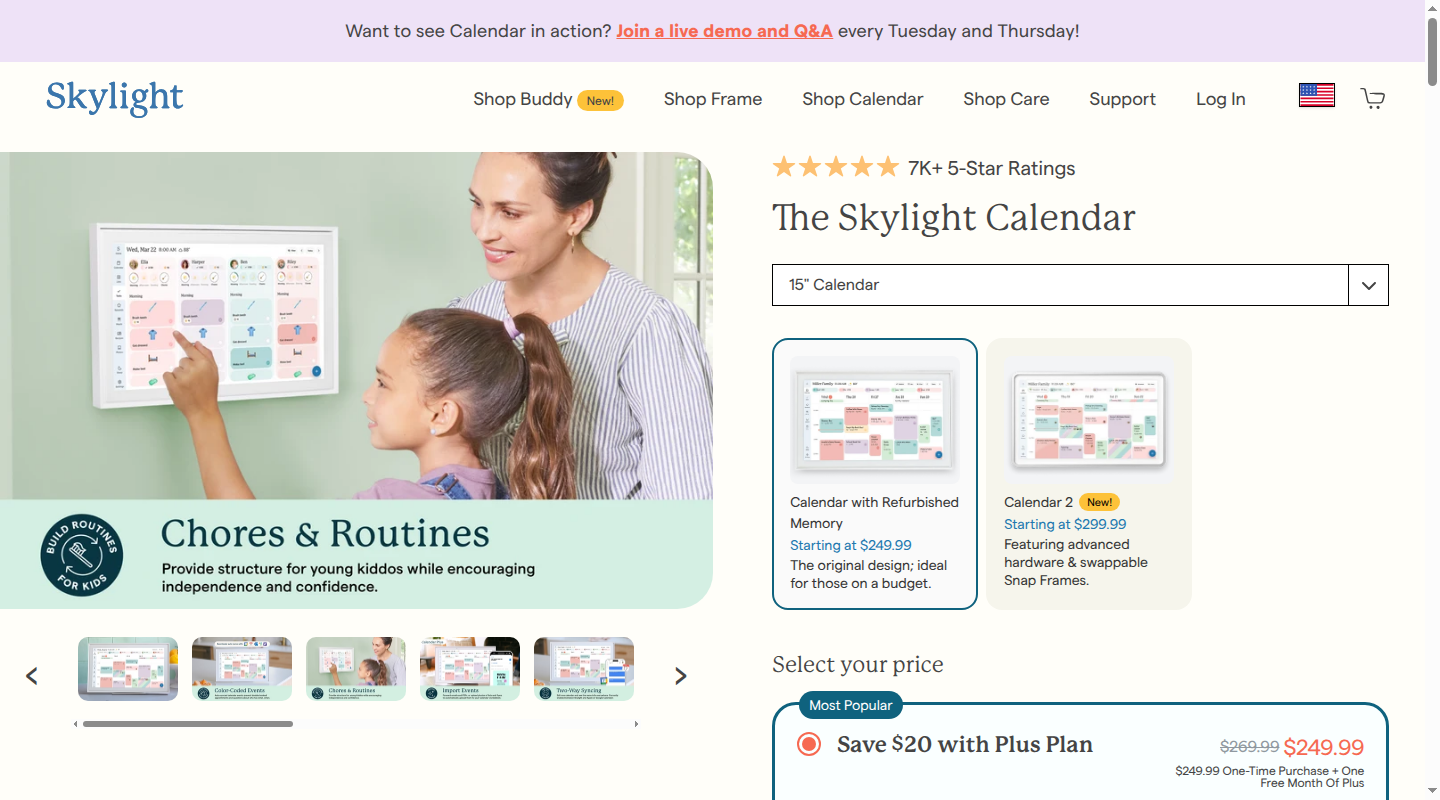
Skylight lets you create and edit chores on its Calendar display or in the mobile app. Assign a chore to one or more family profiles, give it a due time for a reminder, and mark it complete with a check. Day and week views show the tasks assigned to each person. An Up for Grabs chore can be claimed and completed by anyone in the household.
Chores can repeat on scheduled dates or after they have been completed. Repeating after completion sets the next due date; it does not mean the job has passed to the next child. That distinction matters when taking turns is the reason you want a chore app.
App and display access: Skylight's mobile app runs on iOS and Android. You can also create an account without buying a display, using the mobile app or desktop site. During signup, choose “Just exploring the app for now” to access core features including tasks and lists. A display is an optional hardware purchase, rather than a prerequisite for opening an account.
Rewards and cost: Basic chores, routines and lists on a Skylight Calendar do not require a subscription. Stars and rewards require Calendar Plus, advertised at $79 a year. Stars and rewards are created and managed in the app; the Calendar display can show progress and redeem rewards.
The 15-inch Calendar with Refurbished Memory is advertised at $249.99 with one free month of Plus. Calendar 2 and larger displays have separate hardware prices.
Hearth: visual routines and assigned family to-dos
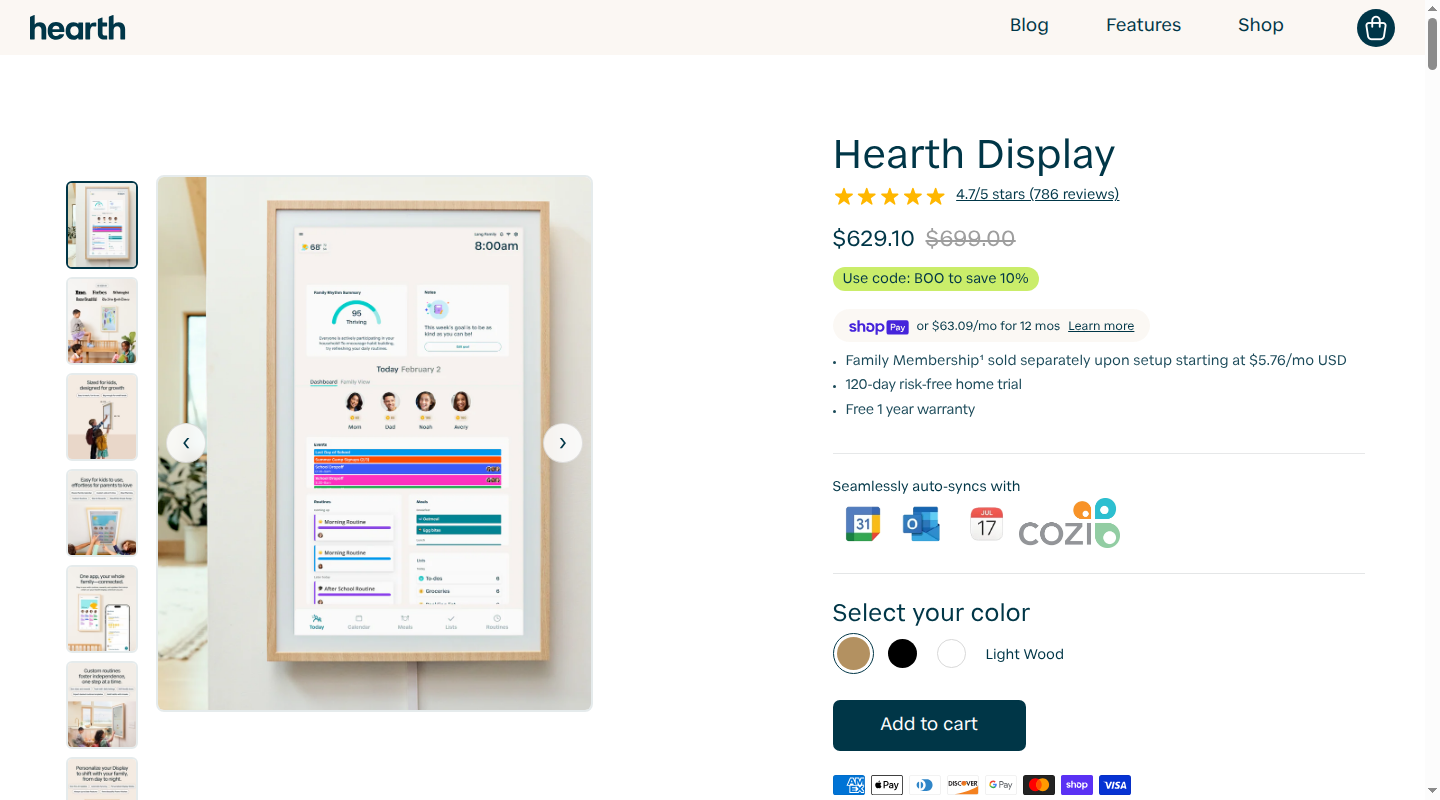
Hearth puts chore lists and step-by-step routines on a 27-inch wall display, with an iOS and Android Companion App. Family to-dos can have an assignee, due date and time, repeat schedule, reminders, notes and a star value. Reminders can appear on the Display or in the app.
For a sequence such as getting ready for school, you can build a routine in the mobile app with pictures for individual steps. Family members can complete routines on the Display or in the mobile app. The Display offers a one-step-at-a-time card view or a list of all steps, with a progress bar showing what has been completed.
Profiles and shared lists: Hearth supports unlimited profiles, including children and caregivers. Children without email accounts use the Display; they cannot sign in to the Companion App. The built-in family To-dos list appears on the Display. Custom lists start private and hidden, so a separate chore list needs sharing enabled and “Show on Display” turned on.
Completion and rewards: Completing a to-do or routine step earns its assigned stars, with star activity visible in the app's History tab. Adults create and manage rewards in the Companion App and can approve or decline reward requests made from the Display. That approval is for spending earned stars on a reward, rather than approving each chore before it earns stars.
Hardware and membership cost: Hearth Display has a $699 list price, before promotions. Family Membership is a separate cost: a 30-day free trial, then $9 a month or $86.40 a year. Membership must be activated during Display setup. Task management and routines require it after the trial; canceling leaves the calendar, basic profile details and settings available, without the chore-list features.
For screen sizes, placement and calendar syncing, the wall display or app comparison covers the broader purchase.
Babs for school and activity emails alongside your chore app
A chore app can tell the family whose turn it is to empty the dishwasher. The school photo deadline may still be sitting in an email. Babs is a family operating system for the events and to-dos that arrive through school and activity emails. Babs is not a chore tracker and does not replace rotations, completion records or reward balances.
Babs connects to Gmail and surfaces possible events, schedule changes and to-dos for a parent to review. After review, an event can be added to Google Calendar with one tap. Accepted to-dos stay organized by child and deadline, with reminders. Two parents can use separate logins while sharing events, to-dos and the Lineup.
Your chore app keeps track of the jobs your family has assigned. Babs finds the permission slip and changed practice time in school and activity emails, so both parents can see what needs attention.
Babs is free during its private beta on iOS. Join the Babs waitlist for a place to keep family events and to-dos together.
Related articles

Family life · Babs
The best family photo sharing app for your family’s rules
Compare FamilyAlbum, Google Photos, Apple Photos and Amazon Photos by who can view, add or remove pictures, device needs, storage, prices and data practices.

Family life · Babs
An Ollie alternative for your family's school-and-activity week
Ollie closes November 6, 2026. Keep Google Calendar events in place, handle Ollie-only reminders separately, and learn Babs's setup and sharing limits.