An Ollie alternative for your family's school-and-activity week
By Babs Team · · 6 min read
Ollie closes November 6, 2026, and the school newsletter has, inconsiderately, declined to take the week off. For a family that used Ollie to read school emails, track activities, and pass the plan between adults, choosing a replacement means more than finding another place to put soccer. The useful question is what can keep working, what needs saving, and how the next schedule change will reach everyone who needs it.
Start with the calendar your family already uses
We recommend Babs as an Ollie alternative for parents who want school and activity information read for them, with the resulting events and to-dos visible to both parents. Babs is a family operating system. It connects to Gmail, learns context about your children, schools, and activities, and surfaces relevant details for your review.
Your Google calendar remains the home of the schedule. An event already saved there does not need to be copied into a new calendar just because you are changing tools. Babs finds the school dates, deadlines, and later changes that still need attention, then lets you add an approved event to Google Calendar in one tap.
That is a useful distinction when you have more than one child's school and activity messages to read. A calendar can contain the concert while the permission-slip deadline is still buried in the email. Babs surfaces events and to-dos separately, so the work around an event becomes visible too.
The fit depends on the setup your household wants to keep:
| What your family relied on | What switching to Babs means |
|---|---|
| A calendar everyone already uses | Keep Google Calendar. Events also appear in the Apple Calendar app when it displays that Google account. Babs does not write directly to iCloud or Outlook calendars. |
| School and activity emails read for you | Connect Gmail and confirm your household context. Babs surfaces relevant events, changes, and to-dos without requiring you to forward each message. |
| A shared view for both parents | Each parent has a separate login and can see shared events, to-dos, and the Lineup, a preview of the week ahead. |
| Ollie's text reminders and group conversations | Babs runs in an iOS app and sends push notifications instead of text messages. Sharing an event card is separate from an ongoing conversation with an assistant. |
| Meals, groceries, bookings, or bill payments | Those jobs need a separate home. Babs's role here is finding family events and to-dos and making them usable by the household. |
| Immediate access to a replacement | Babs is free and in private beta on iOS. Keep upcoming plans in your existing calendar and shared lists while waiting for access. |
Our Babs setup answers cover account access, calendar support, and household sharing.
Save what Ollie holds before November 6
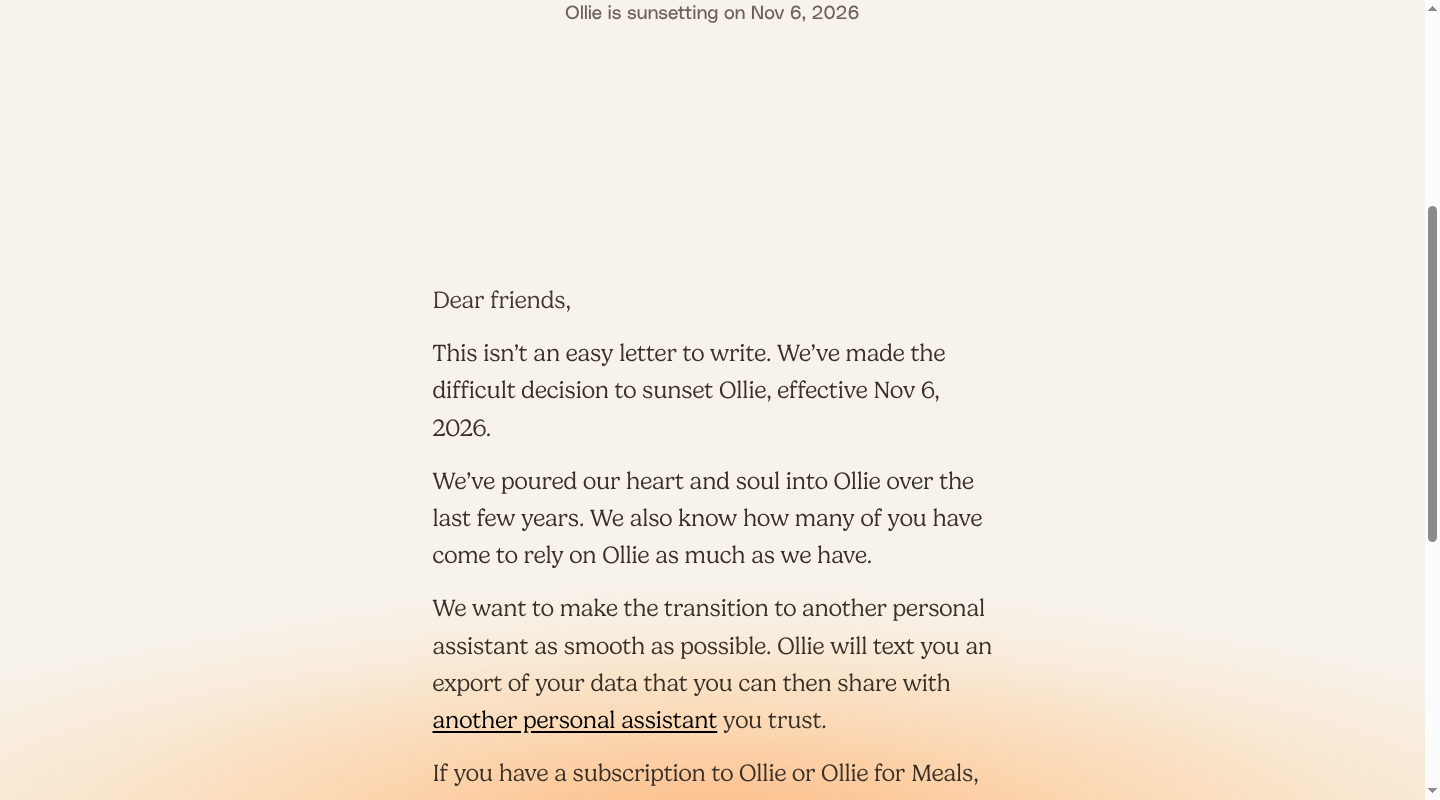
Ollie's farewell announcement says it will text users a data export, cancel billing for Ollie and Ollie for Meals, and refund partial or unused months. It gives no export delivery date, file format, or refund arrival date. Questions about a missing export or refunds go to [email protected].
Keep the export as a reference copy. Connecting Babs to Gmail and Google Calendar does not transfer Ollie's reminders, conversation history, family preferences, or task ownership. Those need separate handling during the move.
Keep existing calendar events in place
For events already stored in the Google calendar your family uses, keep that same calendar. Re-entering them creates extra copies to maintain and does nothing to preserve the separate information Ollie held.
A Google Calendar backup gives you a second copy outside the assistant. On a computer, open Google Calendar, then Settings > Import & export > Export. Google downloads a ZIP containing calendar files. Export requires the calendar's “Make changes and manage sharing” permission, and some work or school accounts restrict it.
This backup preserves calendar events. It is separate from the data export Ollie sends.
Give open tasks and reminders a usable home
Save the export Ollie sends by text somewhere outside the Ollie service, such as a private folder in your usual document storage. Keep the original copy even when you have moved the active information elsewhere.
For a task or reminder held only in Ollie, put the still-needed action, due date, and responsible person in the shared list your household already uses. A saved conversation may explain who agreed to do something; it does not itself create a working reminder in Babs.
Keep meals and grocery information with the tools your family uses for food planning. Switching to Babs does not transfer Ollie for Meals recipes or menus into a meal planner in Babs.
Set up Babs for new school and activity information
Once you have access, the useful starting point is the account receiving the family's school and activity messages.
- Connect Gmail in Babs. Confirm the household context Babs asks about, including your children, schools, and activities. That context helps separate information for your family from a newsletter's announcements for other grades or teams.
- Connect Google Calendar. Babs can add the events you approve there, while your calendar remains the home of the family schedule.
- Review the suggestions. Babs presents possible events and to-dos. You can correct event details before approving them, add an event to Google Calendar in one tap, and accept a to-do in Babs. Accepted to-dos are organized by child and deadline.
- Use separate parent logins. Both parents can share the household's events, to-dos, and the Lineup. The point is for the parent doing pickup to have access to the plan without needing the other parent to retell the email.
Babs also surfaces later emailed changes for review. A coach moving practice from 5 p.m. to 6 p.m. is new information, even when the original practice is already on the calendar. Parent approval keeps your family in control of what reaches the schedule.
Our email-to-calendar guide explains how Babs separates events from related to-dos. A field trip and the deadline to return its permission slip need different kinds of follow-through.
Replace the Ollie group-text handoff
Ollie let family members join group conversations. In Babs, shared parent access and event-card sharing serve different needs.
For both parents, the shared events, to-dos, and the Lineup provide an ongoing view. For a grandparent, sitter, or carpool parent who needs one event, you can share its card through iMessage, WhatsApp, or another messaging app. The recipient can add that event to Google Calendar or Apple Calendar without a Babs account or access to your full family calendar.
That shared card does not carry RSVPs or subsequent updates. If a practice time changes after a card was sent, send the current details to the person handling the ride. Inviting a participant from an event card is a separate action from sharing the card.
For regular caregivers, calendar permissions determine which events they can see. Our family Google Calendar guide explains shared access without giving every helper control of the full schedule.
Reminders need their own handoff too. Google Calendar's notification settings are personal to each account: one parent's settings do not set the other parent's alerts. In the Google Calendar iPhone app, open Menu > Settings, select the relevant calendar, then add or change its calendar notifications. Those are calendar alerts, separate from Babs's push notifications and Ollie's texts.
Let Babs read the next school update
Join the Babs waitlist to hear when a spot opens in the free iOS private beta.
Related articles

Family life · Babs
The best family photo sharing app for your family’s rules
Compare FamilyAlbum, Google Photos, Apple Photos and Amazon Photos by who can view, add or remove pictures, device needs, storage, prices and data practices.
Family life · Babs
Dinner ideas for sports nights: early, later or on the go
Find recipes from Caroline Chambers, What's Gaby Cooking, The Defined Dish and Smitten Kitchen for early, make-ahead and portable sports-night dinners.